
Go to documentation repository

Documentation for Axxon PSIM 2.0. Documentation for other versions of Axxon PSIM is available too.
Previous page Next page

The Axxon PSIM installation wizard can run in the delete mode. This mode is required when you want to delete all the components of Axxon PSIM.
To run the installation wizard in the delete mode, run the installation wizard without removing the previous version of Axxon PSIM.
Note
Before you start the deletion process, close all other apps on the computer.
To delete Axxon PSIM, do the following:
- Open the folder containing the unpacked installation kit.
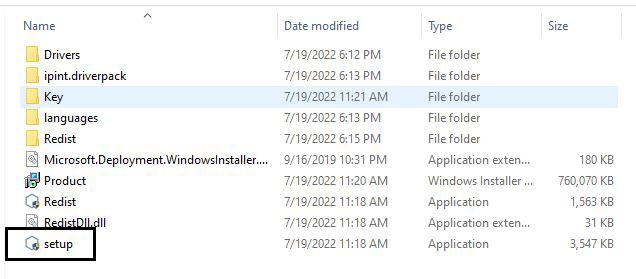
- Run the setup.exe file.
The window for selecting the type of action opens. - Follow steps 2-5 of the manual in Removal of Axxon PSIM from the Start menu.
Removal of Axxon PSIM using the installation kit is complete.
Overview
Content Tools