
Go to documentation repository


Page History
...
- Go to the settings panel of the Hikvision 26X Reader or Hikvision 28X Reader.
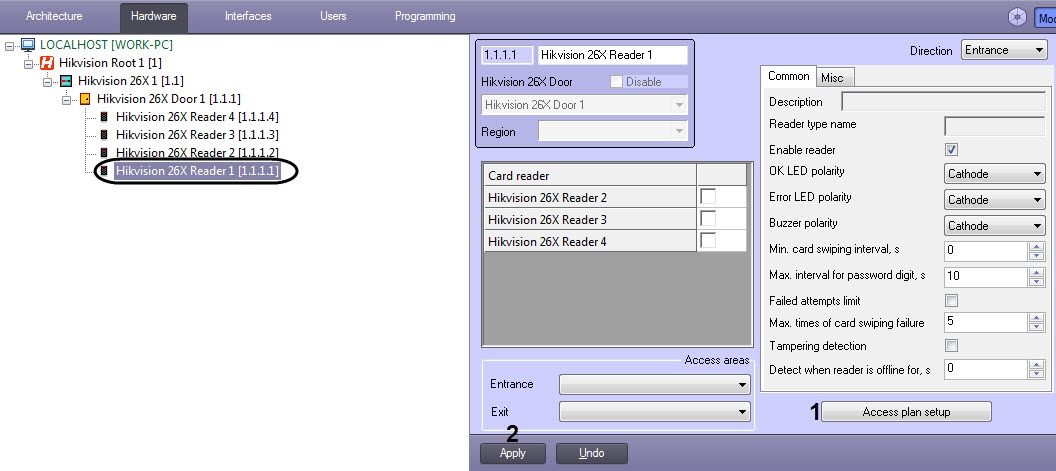
- Click on the Access Plan Setup button. The Reader Access Plan Setup window opens.
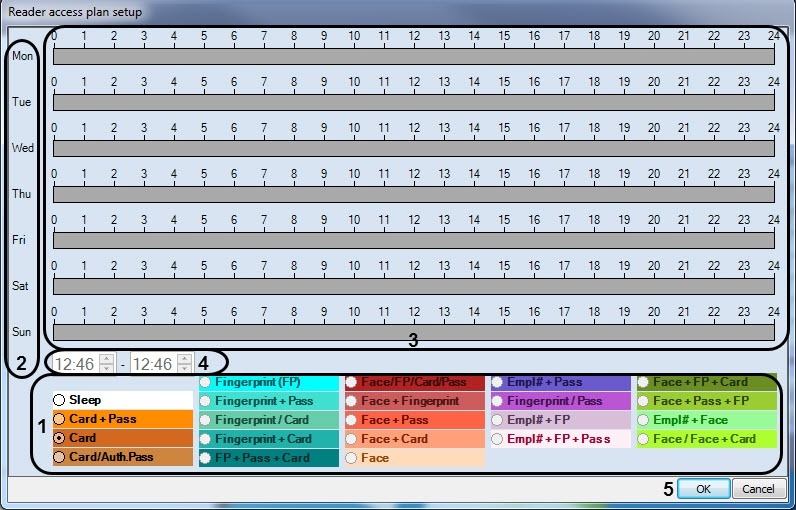
- Set the schedule in the Reader Access Plan window:
- Set your required access schedule in the corresponding pane (1).
- In the week day's column (2), use your mouse to set the required time slot (3).
- You can edit the time values for each slot (4): starting time in the left field and ending time on the right.
- Repeat steps 3a — 3c as necessary.
- Click the OK (5) button to save your settings.
...
Overview
Content Tools