
Go to documentation repository


Page History
...
- Go to the Others tab (1) on the Hikvision 26X object configuration panel.
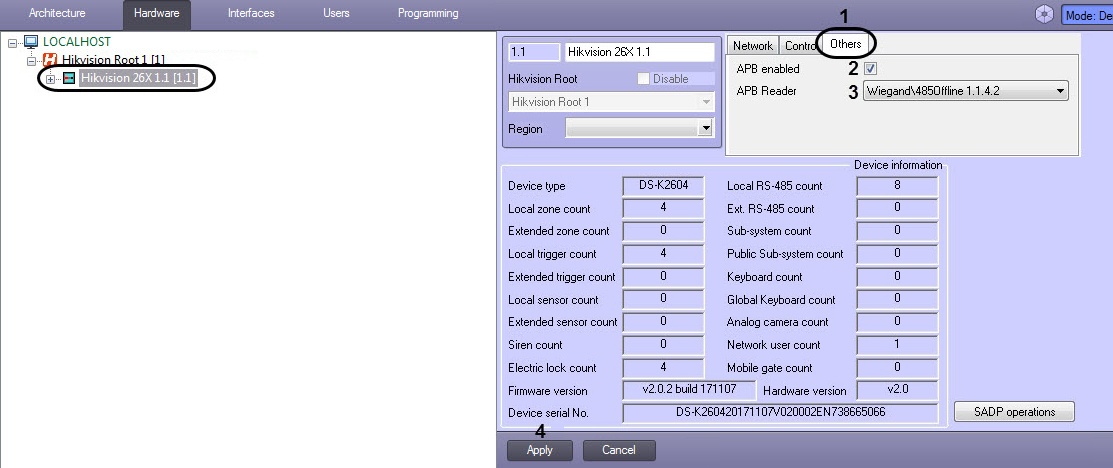
- Check the APB Enabled box (2) to enable Anti-Passback monitoring.
- From the APB Reader (3) drop-down list, select the starting reader for Anti-Passback monitoring.
- Click Apply button (4).
Advanced setup of the Hikvision controller is now complete.
Overview
Content Tools