...
- Select the Report by users access levels (see Selecting the type of Access Manager report). As a result the dialog box for specifying the report parameters will be displayed.
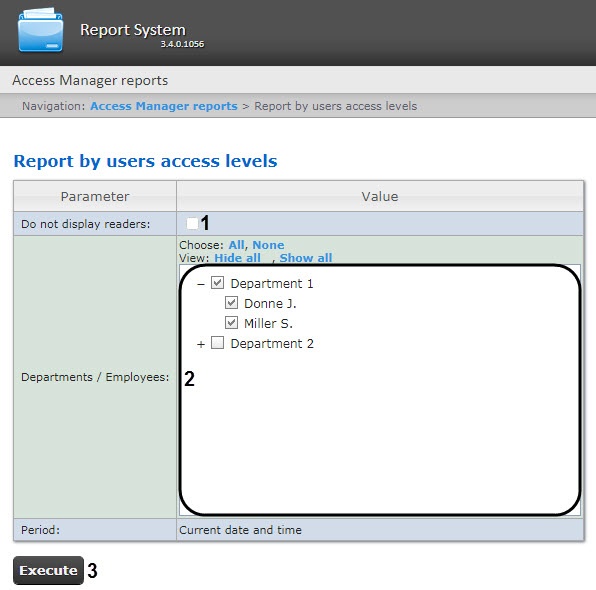 Image Added
 - Set the report parameters in the following way:
- Set the Do not display passage pointsreaders checkbox (1) to hide the passage points readers in the report.
- In the Departments/employeesEmployees field (2) set the checkboxes for the departments and employees the information on which should be displayed in the report.
- To create a report click Execute (3).
- As a result the report with specified parameters is displayed.
Image Removed
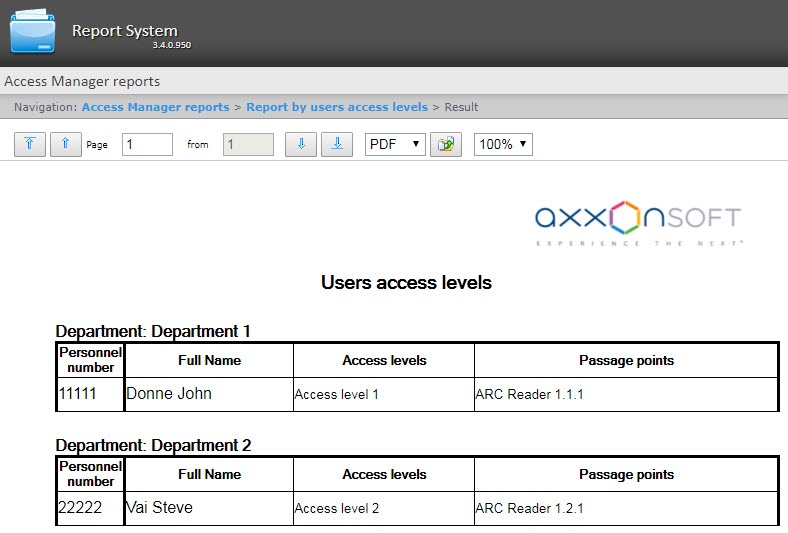 Image Added
The report fields are described in the table.
...


