


Page History
In the Log Panel, alarms are shown as color stripes in a table. Each alarm type has its own color. You can learn the meaning of the colors by clicking the button  (Legend information). When you click this button, the information window opens .
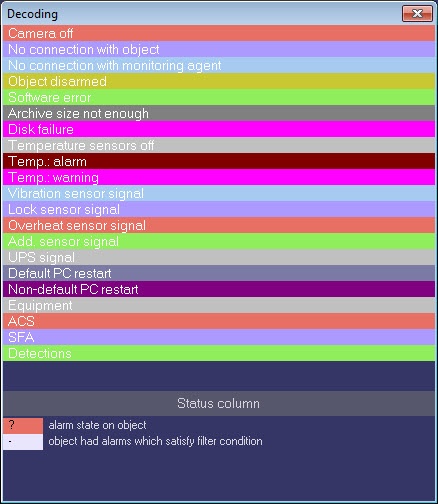
Vertical stripes mean short-term errors and horizontal stripes mean long-term errors (hardware failure).
| Info | ||
|---|---|---|
| ||
Alarm types are described in the Alarm types section. |
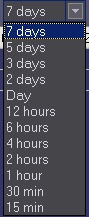
The length of a stripe shows the alarm's duration in accordance with the selected scale. The scale is a time period for one column.
Overview
Content Tools