
Go to documentation repository


Page History
...
- Go to editing a user (see the Going to user editing section).
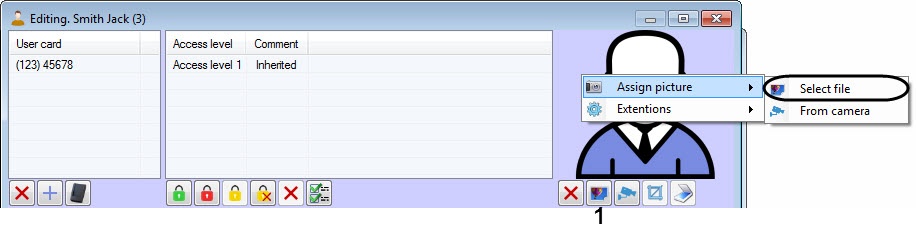
Click the
 button (1). As a result, the standard Windows dialog window will be opened. In this window, select a file with a photo, which will be assigned to the user.
Info title Note You can also assign a photo to the user by right-clicking on the user's photo area and selecting Assign picture -> Select file in the opened functional menu (2).
Assigning photograph from a file is completed.
Overview
Content Tools