
Go to documentation repository


Page History
...
- Go to the settings panel of the Web-server 2.0 object.
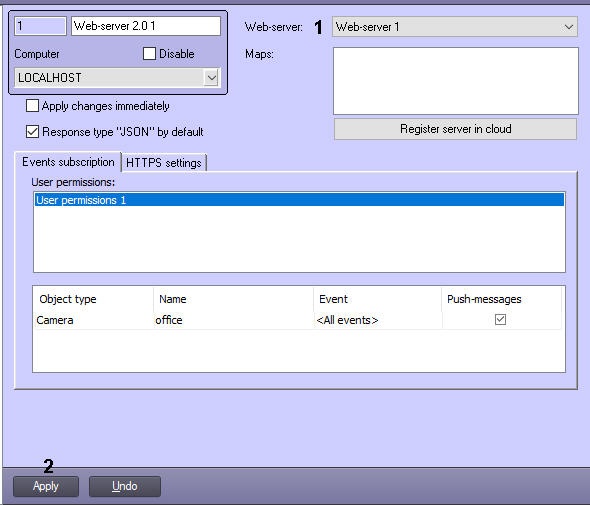
- From the Web-server drop-down list select the required Web-server object (1).
- Click the Apply button (2).
Binding the Web-server to the Web-server 2.0 object is completed.
Overview
Content Tools