
Go to documentation repository


Page History
...
- Select Settings-> Options -> Security Policy (1-2).
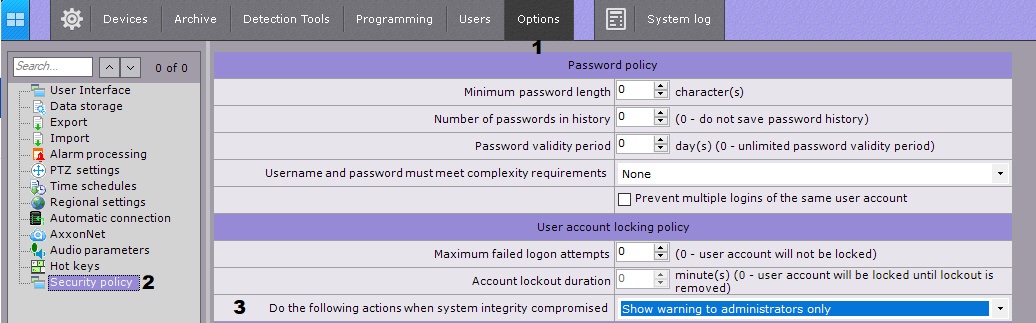
- From the Do the following actions when system integrity compromised (3) choose the necessary response:
Show warning to administrators only - if selected, when the Client starts , an alert will be displayed for users of the admin.
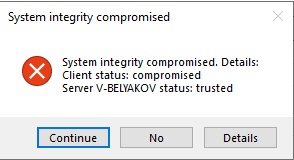
Info title Note To continue downloading the Client, click Yes , to close - No.
- Show warning to all users - in this case, all users will be alerted.
- Block users without admin rights - allows only users in the Admin role to access the Server.
- Stop non-vital services - shuts down all system objects that are subject to licensing (video cameras, detection tools, etc.). Upon launching the Client, each user will see a notification message.
- Click Apply.
Overview
Content Tools