
Go to documentation repository


Page History
By default, fisheye camera video viewing mode setting is taken from device settings (see Domyślny tryb wyświetlania wideo dla kamery fisheye jest ustalany na podstawie ustawień urządzenia (zobacz: Konfigurowanie kamer fisheye) , or from layout settings (see lub z ustawień układu (zobacz: Wyznaczanie domyślnych ustawień podglądów kamer).
To change the viewing mode, do the following:
Aby zmienić tryb wyświetlania, wykonaj następujące kroki::
- Otwórz menu kontekstowe kamery.
- Wybierz
- Open the camera's context menu.
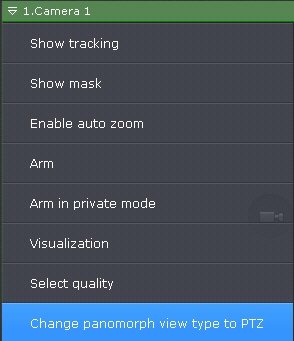
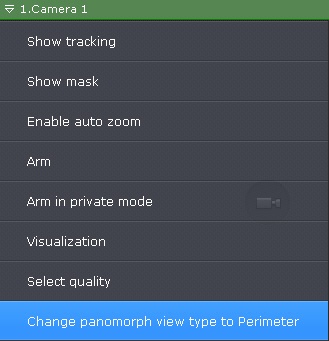
- Select Change panomorph view type to PTZ orlub Change panomorph view type to Perimeter.
| Info | ||
|---|---|---|
| ||
This setting is not preserved if you switch to another layoutUstawienie to nie jest zapisywane przy zmianie układu. |
Overview
Content Tools