
Go to documentation repository


Page History
The Web-server object is to be created and configured for correct working of Web-server 2.0 module (see Configuring the Web-server module section). The Web-server 2.0 object uses the settings of the bound with it Web-server object.
Binding the Web-server 2.0 to the Web-server is performed the following way:
- Go to the Events subscription tab on the settings panel of the Web-server 2.0 object.
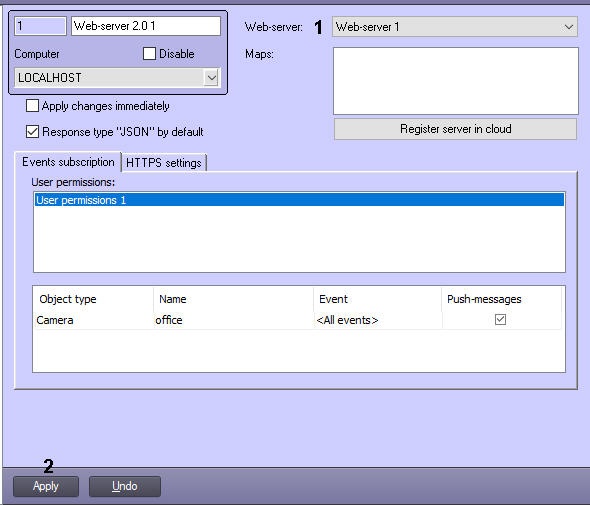
- From the Web-server drop-down list select the required Web-server object (1).
- Click the Apply button (2).
Binding the Web-server to the Web-server 2.0 object is completed.
Overview
Content Tools