...
- The same plate is placed on both sides of a carriage. If the plate cannot be recognized from one side (it is wiped off or dirtieddirty, or the camera was blinded at the moment of plate fixation, etc.), the auxiliary channel from the other side is utilized used for plate fixation.
- Carriages of different types pass through the recognition point, e.g. platforms and hoppers. Sometimes one camera isn't able to capture plates on all types of carriages (some plates are too high, some are to too low). In this case, two cameras can be placed on both sides of the railway track: one of them as a primary one and the other three as auxiliary.
...
- Go to the IntLab subordinate module object settings panel, which is created on the basis of the IntLab module object.
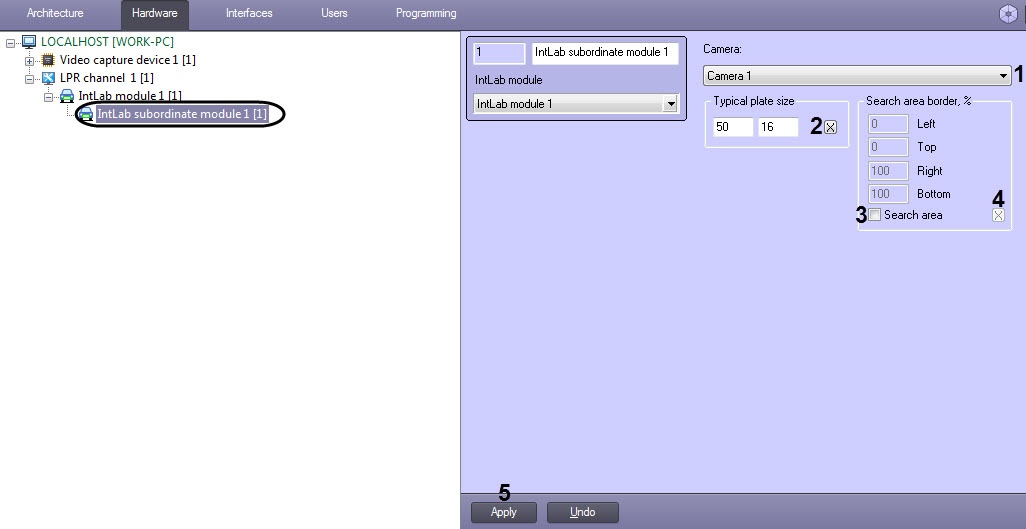
- From the Camera drop drop-down list, select the required Camera object, used for carriages plates recognition (1).
- In the Typical plate size enter field, enter the width and height of recognized carriage plate (is set in pixels) (2).
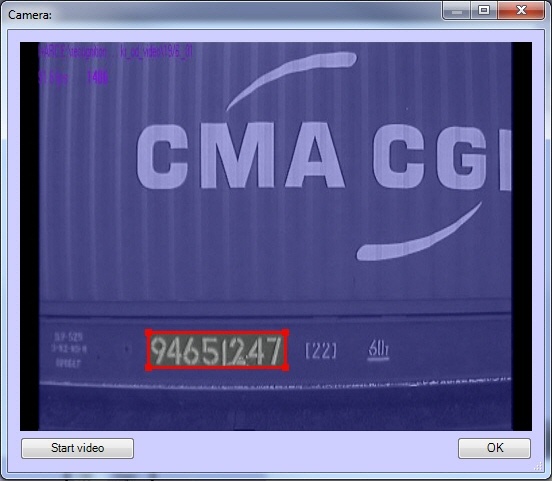
To specify a plate size in the video image using a mouse button. do the following:Click the  button to open the Camera window. The Camera window displays video image from the camera set in the LPR channel settings.
| Note |
|---|
|
- Select 8 character cells for proper recognition of Russian carriages plates.
- Select 5 character cells for proper recognition of European carriages plates.
|
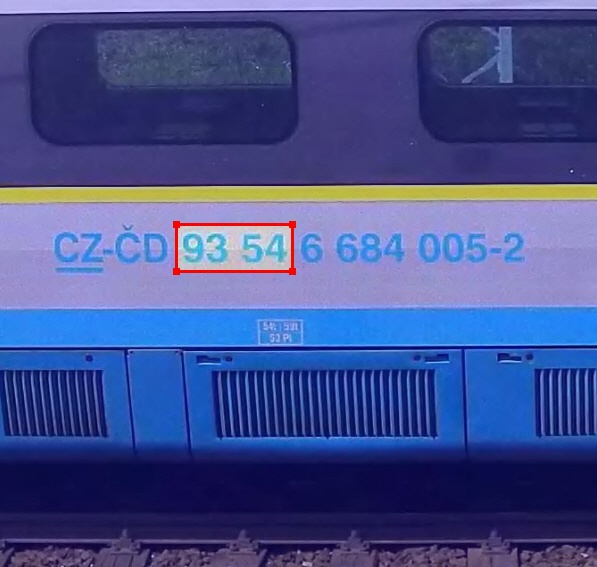
- Click and hold the mouse button in the video image at one of the corners of the supposed search area.
Keep the mouse button pressed and drag the mouse across the supposed search area to the opposite corner. Release Release the mouse button and click click the OK button to save the selected area.
| Note |
|---|
|
For the correct recognition of double-row plates (e.g. plates of passenger carriages), specify the size of one row in the Typical plate size : field. 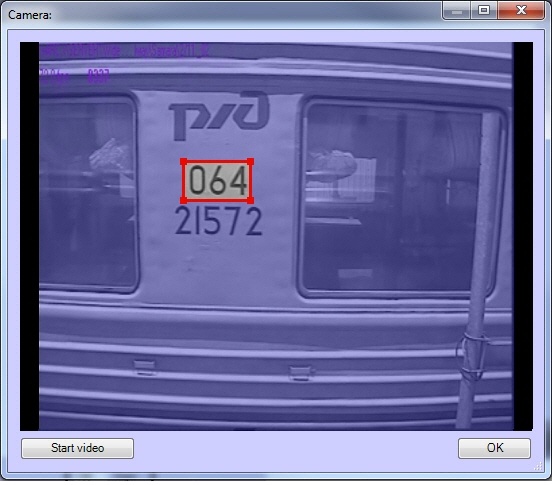
|
Set the Search area checkbox checkbox to activate enable the function of specifying search area borders in the video image (3).
| Info |
|---|
|
Procedure The procedure of specifying the search area borders in the video image using the mouse button is the same as the procedure of specifying olate plate size (see item step 3). |
- In the Left, Top, Right, Bottom fields, enter values of search area border of carriage plate in the video image (4). Values of the search area borders are specified in percentage of the video image size.
- To set the values of the search area borders for the railway car license plate, left-click the button in the video frame (4).
- To save the changes click , click the Apply button (5).
Setting up the auxiliary channel for recognition of the carriages plates for the IntLab module is completed.


