
Go to documentation repository


Page History
Connection via RS-485 standard is configured on the settings panel of the Gate RS 485 object which is created on the basis of the AC ZK Teco object on the Hardware tab of the System settings dialog window.
To configure the connection via COM-portTo configure the ZK Teco floor, do the following:
- Go to the settings panel of the Gate RS 485 object ZK EC10 floor object that is created on the basis of the ZK EC10 controller.
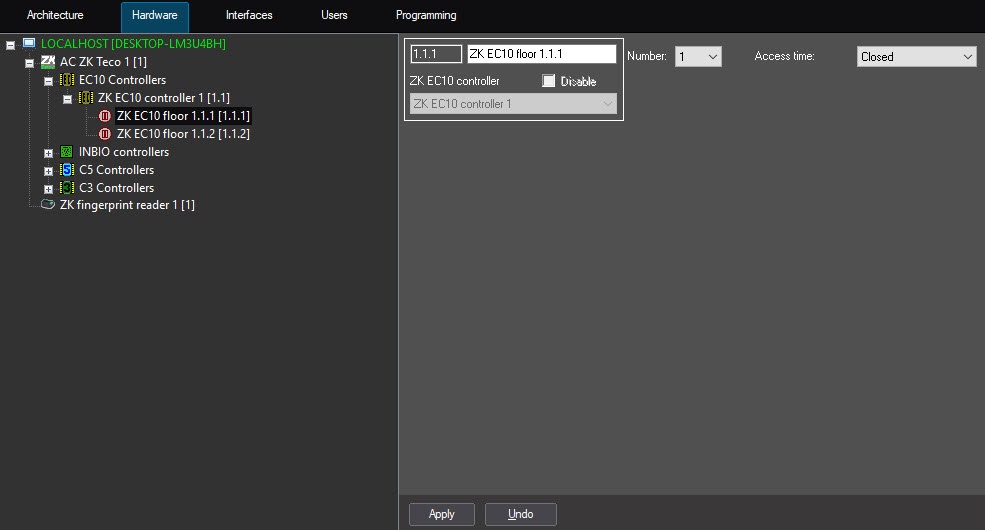
- From the Port: Number drop-down list, select the COM-port number of connection (1)the ZK Teco floor.
- From the Baudrate: Access time drop-down list, select the speed of connection (2).In the Timeout: field enter the connection timeout in milliseconds (3)the time interval for which the lock will be opened:
- Closed—access is always closed. This is the default value.
- Open—access is always open.
from 1 sec to 254 sec—the time for which the lock will be opened after access is confirmed.
- Click the Apply button (4).
...
- to save the settings.
Overview
Content Tools