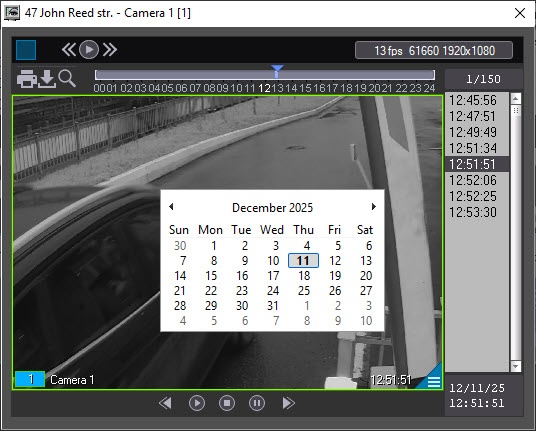
To play back live video and an archive from a specific camera, select the name of the corresponding camera in the Video image playback menu (see Viewing objects' live video and archives).
...
The window's title shows the description of the object, the camera nameorder number, and the camera ID in brackets. The archive is accessed using You can access the archive using the standard Axxon PSIM standard method.
| Info |
|---|
|
- To view live video in the full-screen mode, double-click on it.
- To exit the full-screen mode and
restore video mode, double right- go back to the window playback mode, do the following:
- Double-click on the video using the right mouse button. You can use it both for specific cameras and for "All cameras" or "All cameras of the partition of control" modes;
- Double-click the left mouse button by holding down the Ctrl key. You can use it only for specific cameras or layouts.
For details on
working - how to work with surveillance windows and archives
- When viewing live video, the frame rate can be limited by the settings of the Monitoring interface object (Video stream speed parameter) – see Configuring the Monitoring interface object.
|
| Info |
|---|
|
|