
Go to documentation repository


Page History
...
- On the Control Agent side, add the interception of starting and finishing events. The format of the message must strictly correspond to the following template: <Event name> [<id> ] - <name>, where instead of the <id>, you must specify the object number, and instead of the <name>, the object name.
Example of a "starting" event.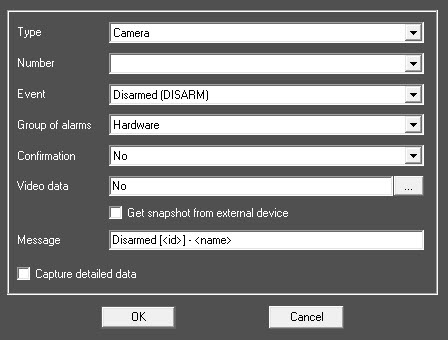
Example of a "finishing" event.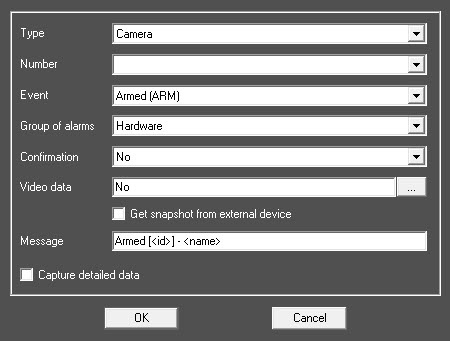
As a result, there is a list of two events.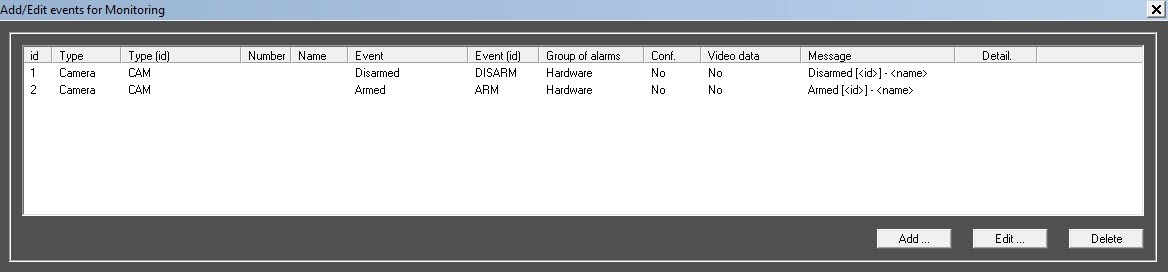
Info title Note On the Control Server side, these alarms are registered as short-term.
- On the Control Server side, create the Monitoring reports interface object.
- On the toolbar of the Monitoring reports object, click the System failures button.
The corresponding configuration form appears, in which you must:- Set the Alarms as failures checkbox.
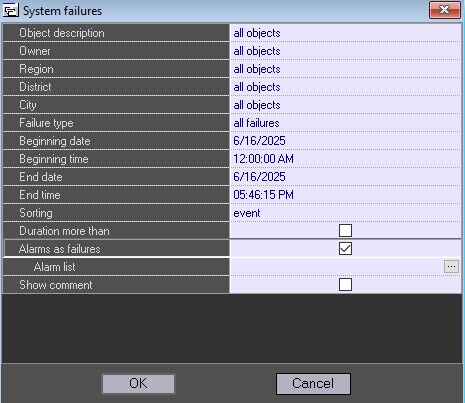
- Click the
 button to expand the Alarm list window.
 - In the Alarm list window:
- Click the
 button to add an entry.
 - In the Failure name field, specify the failure name in the way it is to be displayed in the failure report.
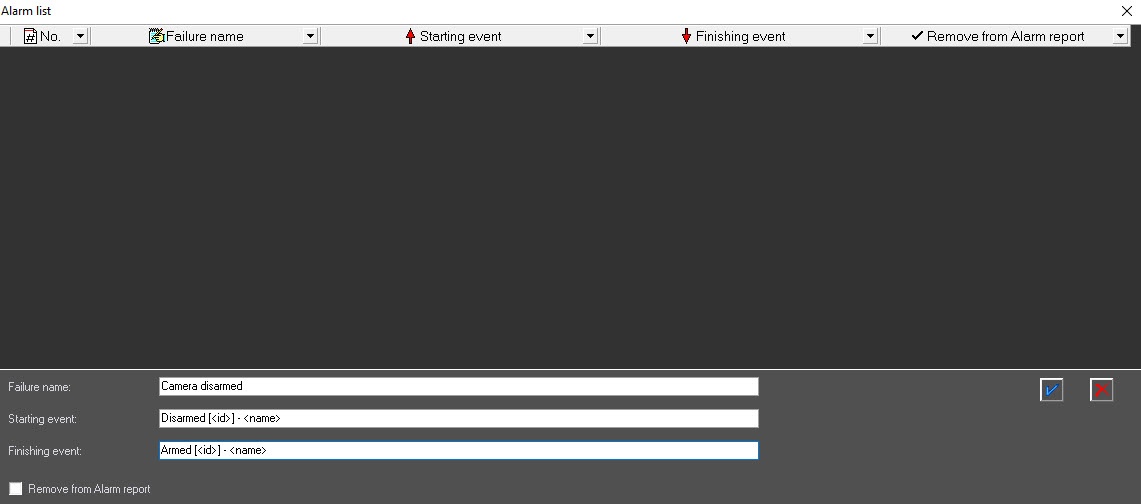
- In the Starting event row, specify the name of the starting event fully in accordance with the template, as in step 1.
- In the Finishing event row, specify the name of the finishing event fully in accordance with the template, as in step 1.
- Set the Remove from Alarm report checkbox to prevent the display of the starting and finishing events while building an "Alarm" report.
- Add an entry by clicking the
 button.
As a result, the new entry is added to the Alarm list.Info title Note The button to add an entry appears only if you fill in all the data, and the description of the starting and finishing events contains the [<id>] - <name> template. Further, you can edit or remove the created entry.
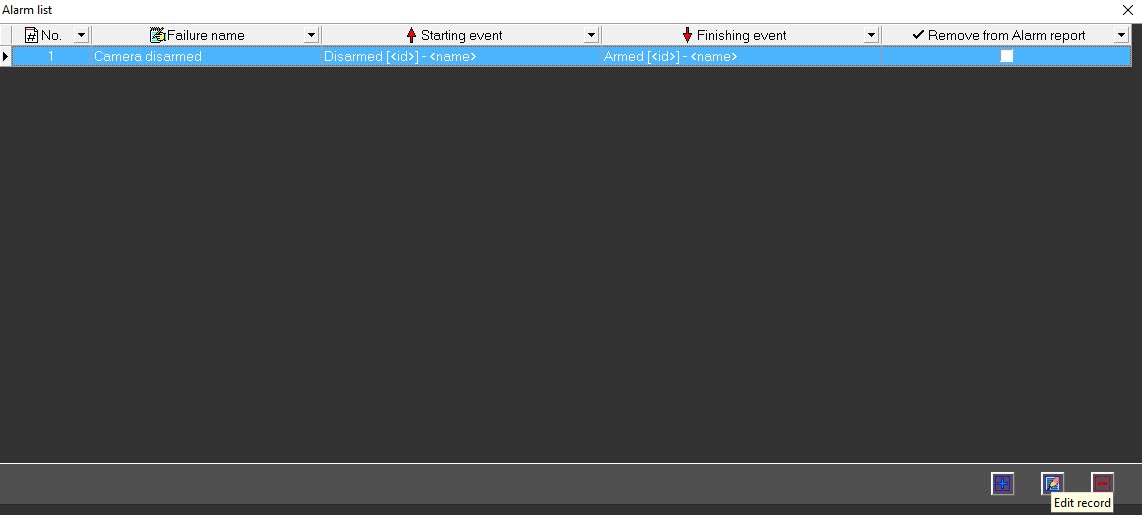
- Repeat steps i-vi for all alarms.
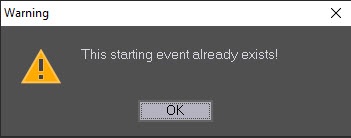
Info title Note When you add the following entry, don't duplicate the values of the edited fields. If you try to enter a duplicate, the error message appears.
- Build a report.
Example of an alarm report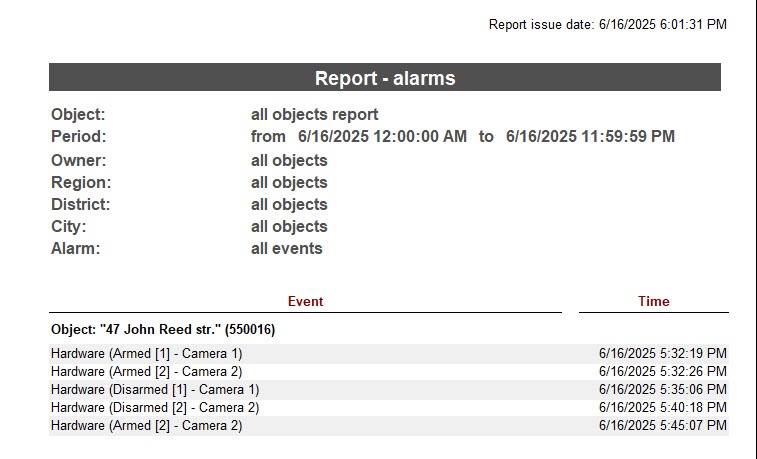
Example of a report on failures with the Alarms as failures checkbox set.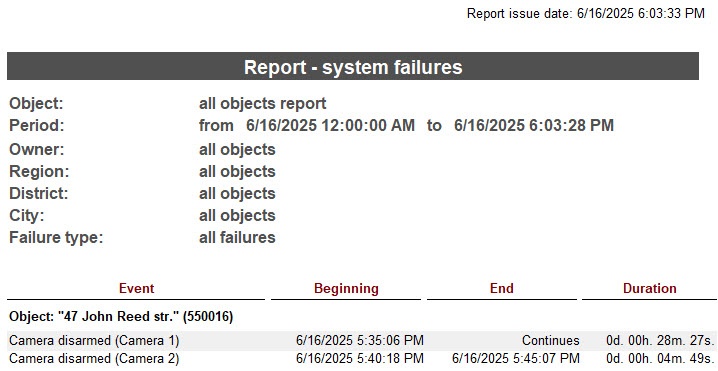
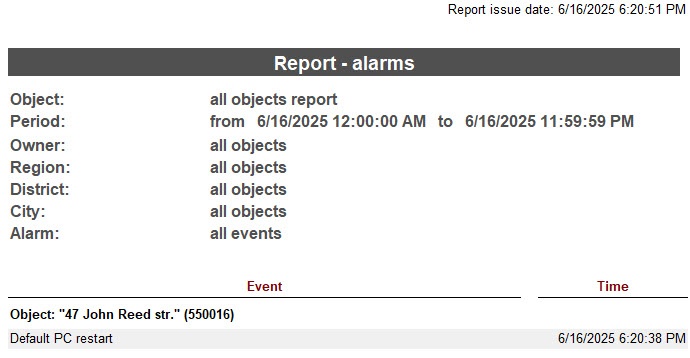
If you set the Remove from Alarm report checkbox in the Alarm list window, the corresponding events aren't included in the alarm report.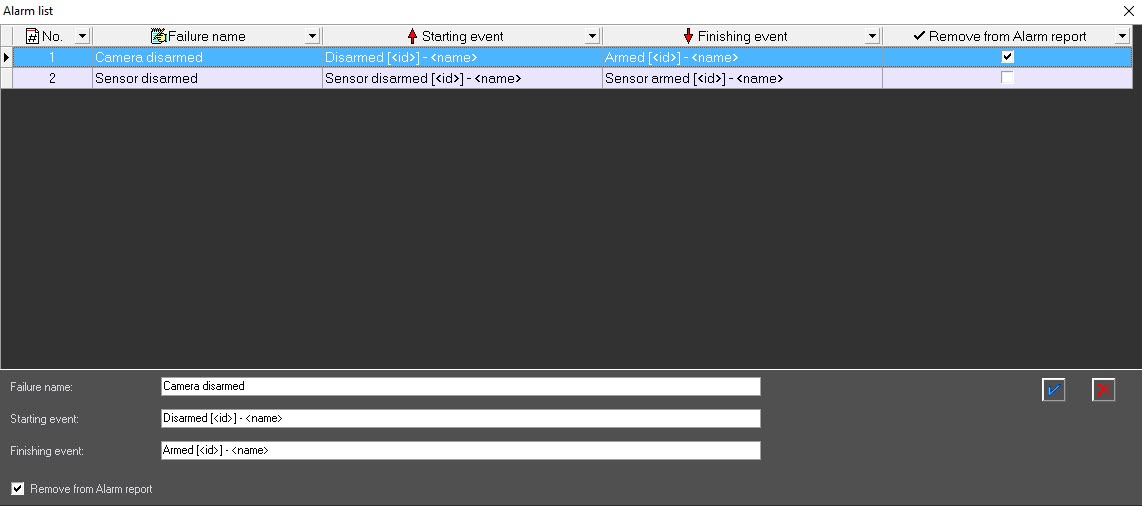
- Click the
- Set the Alarms as failures checkbox.
...
Overview
Content Tools