
Go to documentation repository


Page History
...
Layout—is the set order of positioning videos from cameras and information boards in the client interface. You can configure layouts after you connect to the domain server. The options for creating, editing, copying, and removing layouts are determined by the access level settings in the Layouts editing parameter (see Roles).
The created Сreated layouts are available when you connect to any server within the domain. Changes made by one user (selecting or editing a layout) don't affect the interface of other users. To provide access to the layout, use the share function (see Sharing layouts).
...
The duplicated layout is created. The new layout with the name of the following serialnumber is added to the list. You can rename it and edit it.
Deleting a layout
...
After it, when you select the area an area on the panorama (similar to the Areazoom function, see Control using Areazoom), this area is displayed on the panel.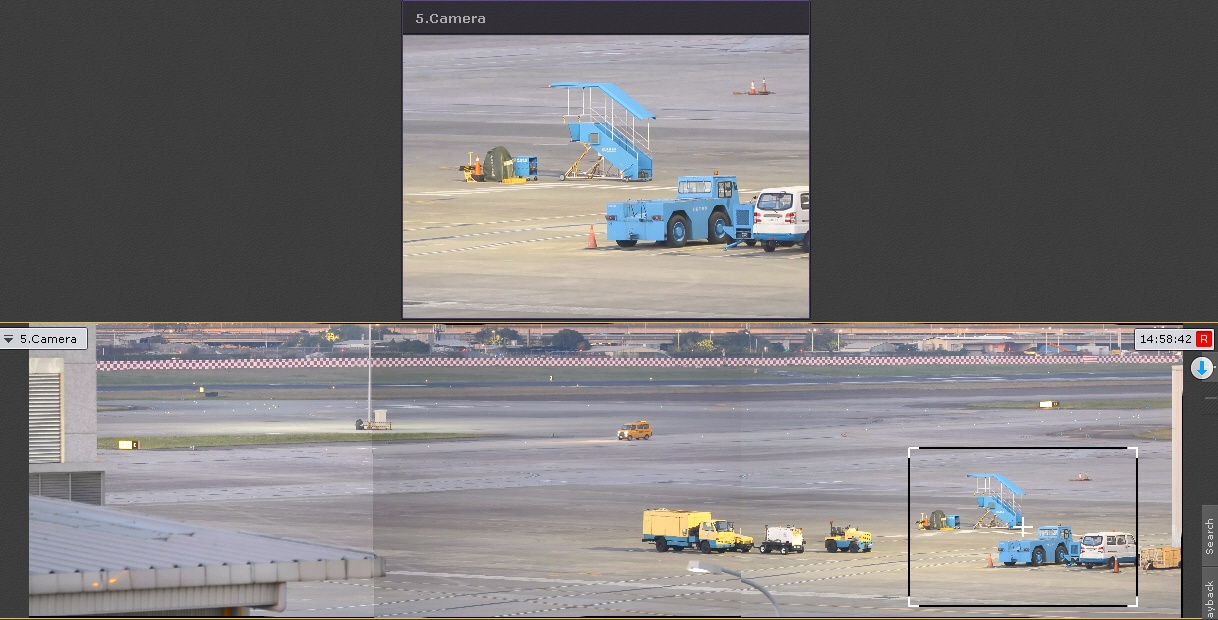
...
The layout received from another user is marked by the special icon. When you point the mouse cursor at it, the username is displayed. The users who get gets the access can:
- Use this layout for editing and viewing (see The layouts panel). You can edit the layout only if the corresponding Allow editing right is granted.
- Delete it from your list (see Deleting a layout). Only the layout's owner can completely delete it from the system. This action makes the layout unavailable for all users. If any user has the opened layout during the moment of its removal, the system automatically switches to another layout.
- Duplicate this layout (see Duplicating a layout). The copy becomes the personal user layout.
...
Slideshow—the automatic cycle switching between the selected layouts with the set interval. There is one slideshow created in the system by default, which includes all standard layouts created by the user. Special layouts aren't included in the automatic slideshow. The switching interval is three seconds by default. To change the interval, you must go to the the Options tab → the User interface item, and in the Slideshow period, sec parameter, set the required value (see Configuring the slideshow parameters).
...
Creating the slideshow is complete. To start the slideshow, click the Open layout control menu button in the upper left corner of the panel, and in the window that opens, click the Start slideshow item. To stop the slideshow, click the Stop slideshow item.
Autozoom
Autozoom—the function of the automatic digital zoom function of the area with moving objects.
...
Overview
Content Tools