
Go to documentation repository
...
General configuration of the detector is performed on the Detection settings tab on the settings panel of the Equipment detection (PPE) object.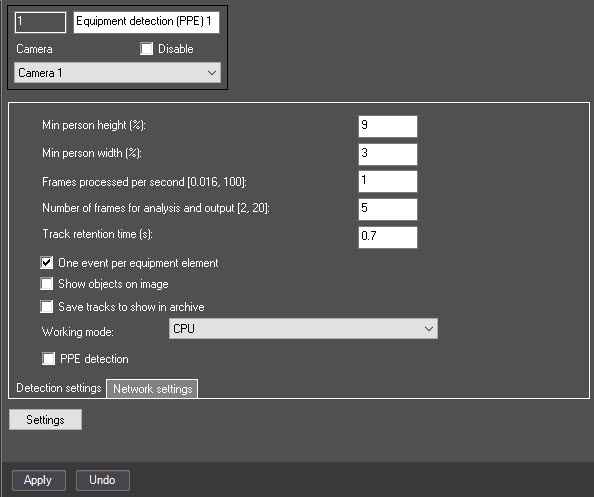
In the Number of frames for analysis and output [2, 20] field, enter the minimum number of frames on which a violation must be detected in order to generate an event. The value must be in the range [2; 20].
By default, the One event per equipment element checkbox is set, and the detector generates an event once for each equipment element violation within an object (track). If you want the detector to generate an event each time an equipment violation occurs, clear the checkbox.
| Info | ||
|---|---|---|
| ||
Example. A person appeared in the frame without a helmet, then put it on and then took it off again. If the One event per equipment element checkbox is set, then there is one event, if not—two events. |
Set the Save tracks to show in archive checkbox to save the object (track) to the archive.
| Info | ||
|---|---|---|
| ||
The frame on the image of the detected object is saved in the Monitor object archive. |
From the Working mode drop-down list, select the device on which the neural network will operate: CPU, one of NVIDIA GPUs, or one of Intel GPUs. The default value is CPU. Depending on the device that you select, the neural networks will be selected.
| Note | ||
|---|---|---|
| ||
|
...

