
Go to documentation repository


Page History
...
- Go to the Settings tab → the Options tab → the Preferred servers item.
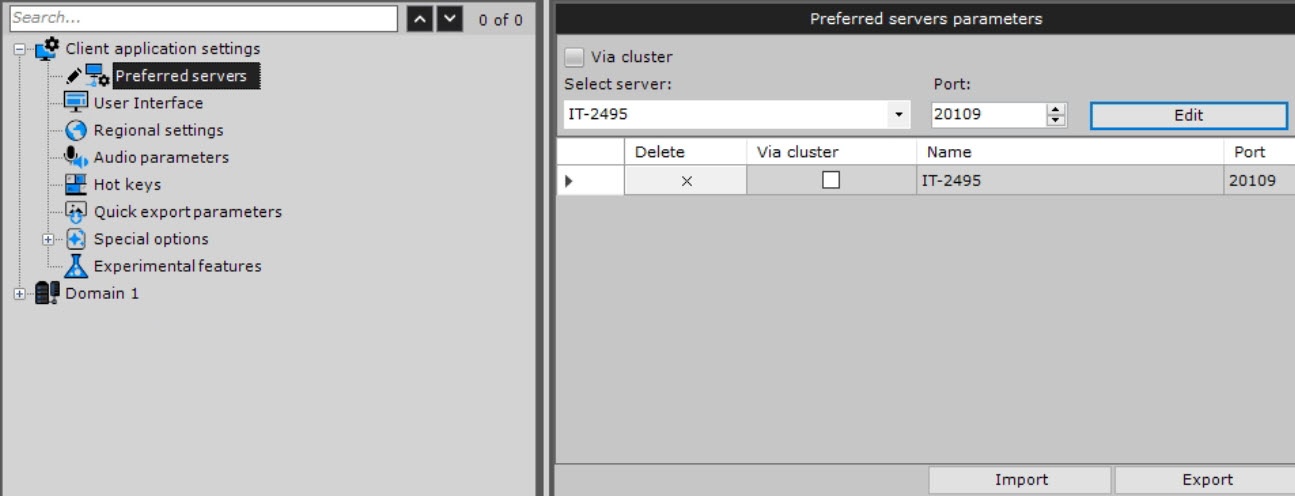
- Set the required preferred server parameters that are specified in the table:
Parameter Value Description Select server Select the required server from the drop-down list Port: If necessary, change the standard port and click the Edit
 button
 - Click the Add
 button. To remove the server, click the
  button.
 - Repeat actions for all required servers.
- Click the Apply
 button. To cancel an action, click the Cancel
  button.
...
Overview
Content Tools