...
- Go to the settings panel of the LPR channel object, corresponding to the activated module (see Activating the software module used for identifying the license plates).
- Go to the Saving settings tab.
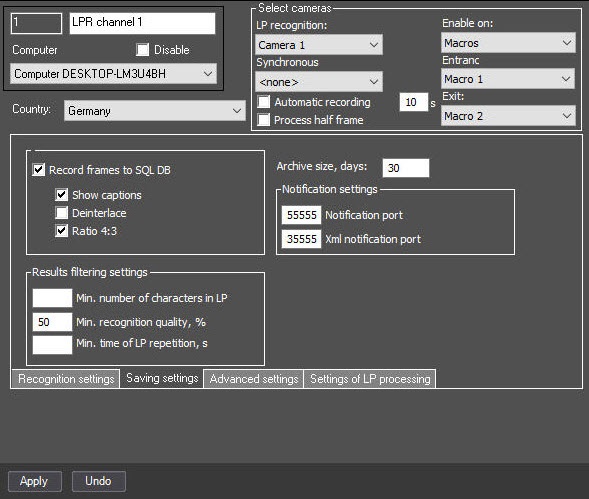
- In the Archive size, days field, specify the number of days that records are stored in the database. The default value is 30. The value range is 0-5000.
- Click the Apply button.
...
{"serverDuration": 100, "requestCorrelationId": "527ee93fc1f93f40"}


