
Go to documentation repository


Page History
...
- Open the main.ddifile in the utility.
- Select the DDI tab on the left part of the utility window (1). The list on this tab displays system objects.
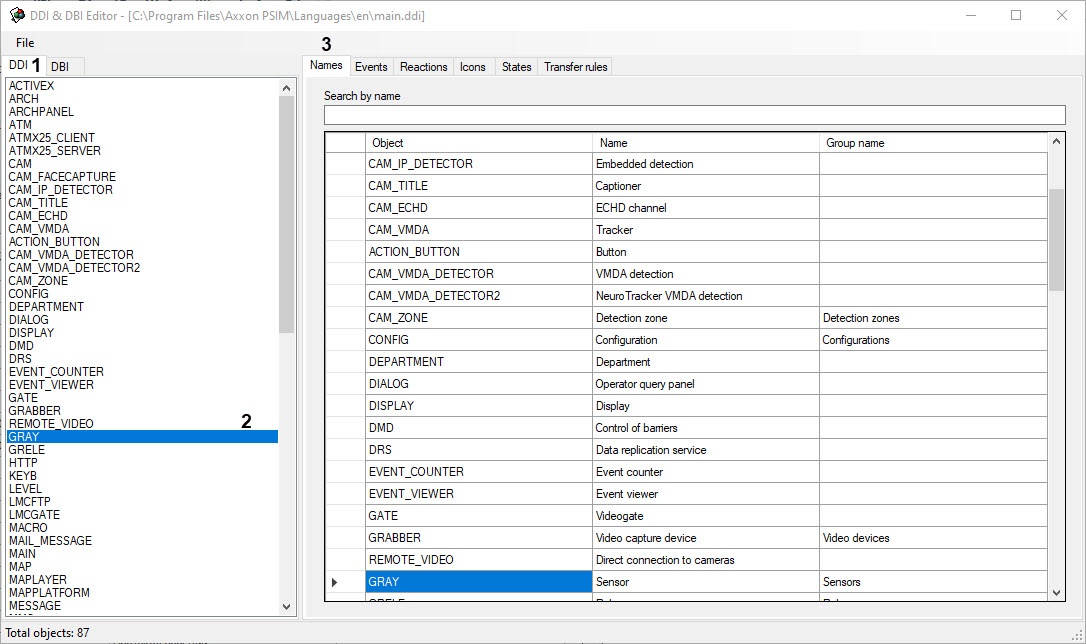
- In the list on the DDI tab, select the object whose events and reactions you want to view (2).
- To view the name of the selected object, go to the Names tab (3).
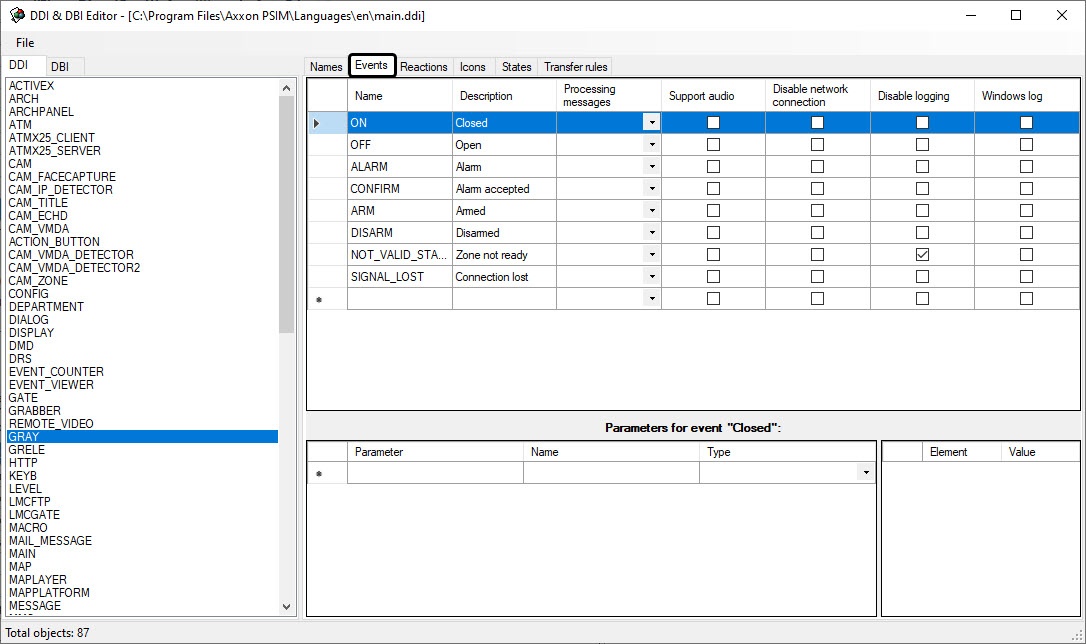
- To view the list of events for the selected object, go to the Events tab.
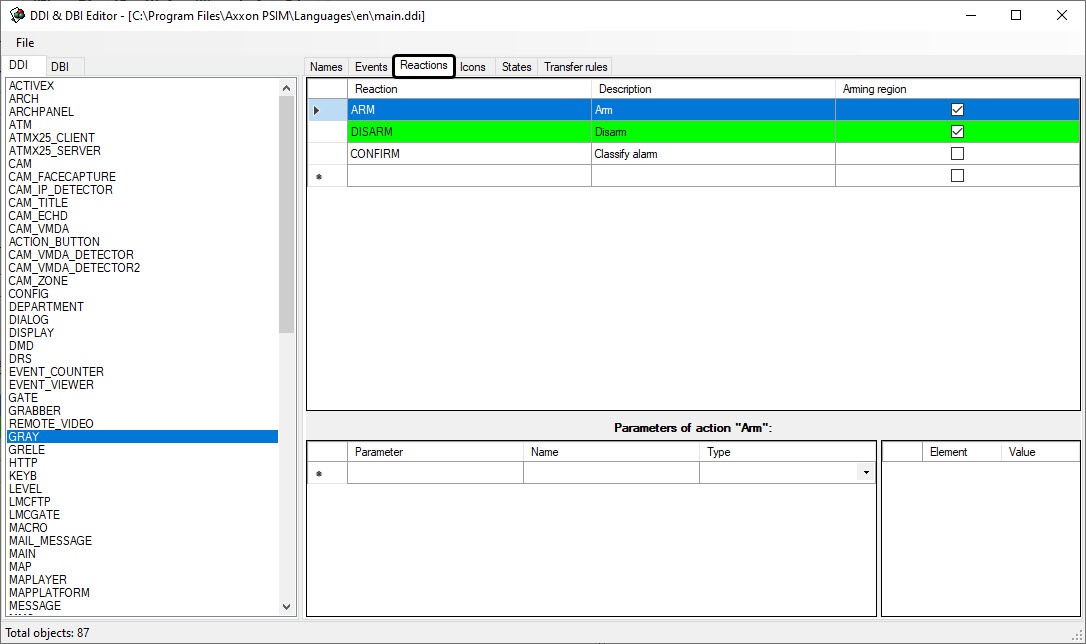
- To view the list of reactions for the selected object, go to the Reactions tab.
For more details on how to work with the ddi.exe utility, see the Editing main.dbi and main.ext.dbi templates of the main database using the ddi.exe utility section.
...
Overview
Content Tools