


Page History
...
After the report is generated, a table with passage data is displayed. Employee, department, entry area, exit area, date and time of passage are specified for each entry.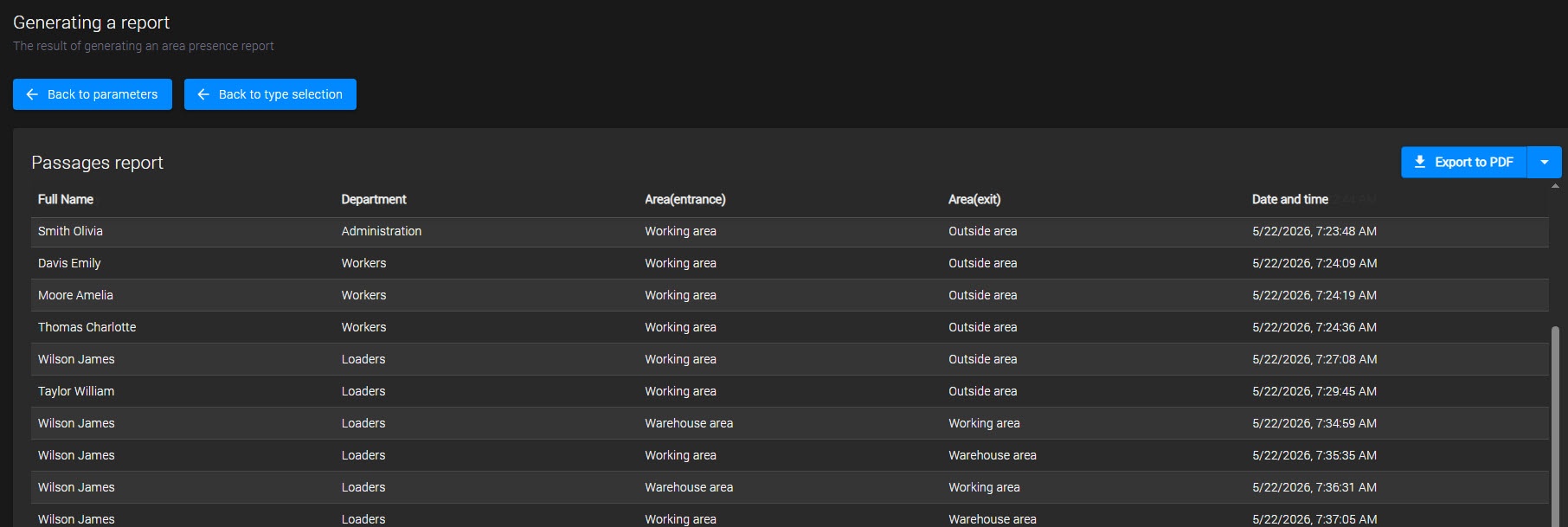
To return to the settings of the current report, use the Back to parameters button. To select a different type of report, use the Back to type selection button.
...
After the report is generated, a table with data on employee presence in the selected area is displayed. The report includes the employee's full name, department, area, date, entry time, exit time, and calculated duration of stay. If multiple records are found for an employee, the data is grouped. The total duration of stay is displayed for each group.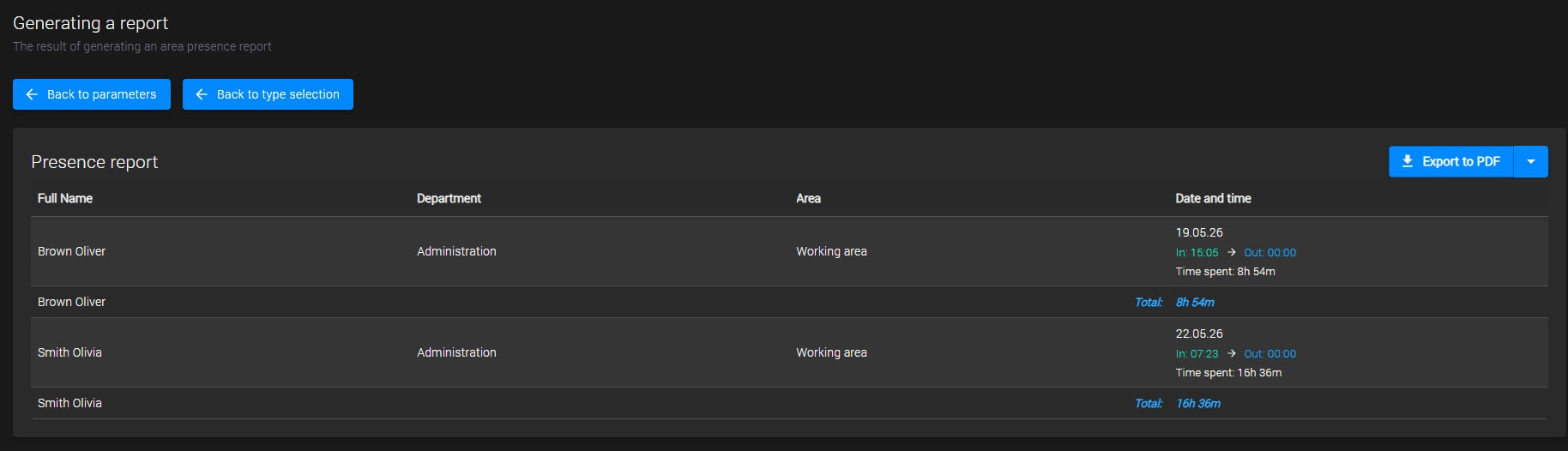
To return to the settings of the current report, use the Back to parameters button. To select a different type of report, use the Back to type selection button.
...
After the report is generated, a table with a list of employees who were present in the selected area is displayed. The report includes the employee's full name, department, area, and the date/time they were present in the area.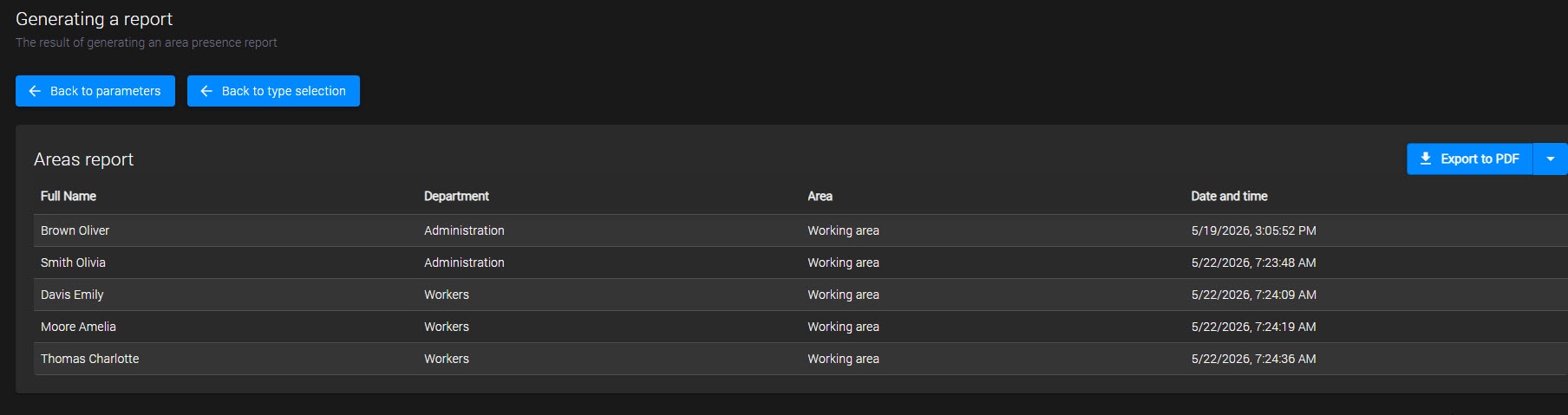
To return to the settings of the current report, use the Back to parameters button. To select a different type of report, use the Back to type selection button.
...