
Go to documentation repository


Page History
| Section | |||||||||||||||||||||
|---|---|---|---|---|---|---|---|---|---|---|---|---|---|---|---|---|---|---|---|---|---|
|
General information about licensing of the
...
VL recognition module
VisionLabs recognition VL recognition module is licensed according to the following scheme:
| Module in use | Licensing scheme |
|---|---|
Visitor counting channel | By the number of channels |
Archive search channel | By the number of channels |
Recognition channel | By the number of faces in the database |
To use the VisionLabs recognition VL recognition module in multi-threading mode, the number of faces in the database is determined as follows:
...
| Info | ||
|---|---|---|
| ||
For example:
In both cases, the actual number of reference faces that can be contained in the database will be 100. |
| Tip |
|---|
See Registry keys reference guide, for details about working with the registry, see Working with Windows OS registry. |
Thus, the psim.sec key file is purchased for each camera in use and a certain number of faces stored in the database.
You also need to install the SDK VisionLabsVL and purchase an additional license from VisionLabs VL, which is presented in the form of a software key.
Installing the SDK of the
...
VL recognition module
Before activating the software key, you need to install the SDK VisionLabs VL. To do this, download the VisionLabs LUNA VL SDK 5.17.0 installer from the AxxonSoft website and extract the data folder from it to <Face PSIM installation directory>\Modules64\Firserver\FaceRecognition\VisionLabsVL.
| Info | ||
|---|---|---|
| ||
At the time of writing this documentation, Face PSIM uses VisionLabs LUNA SDK VL SDK 5.17.0. Earlier versions of Face PSIM use SDK VisionLabs VL 5.10.0. |
Activation of the software key of theV
...
Lrecognition module
| Note | ||
|---|---|---|
| ||
This method of activation of the VisionLabs software VL software key is available starting with SDK version 5.17.0. |
To activate the license of the VisionLabs recognition VL recognition module, do the following:
- Request EID and ProductID from the technical support.
Note title Attention! EID and ProductID are linked with the MAC address of the Server. If the MAC address changes, you need to request EID and ProductID again.
- Open the following file in a text editor: C:\Program Files (x86)\Axxon PSIM\Modules64\Firserver\FaceRecognition\VisionLabsVL\data\license.conf.
- Enter the received EID and ProductID.
Code Block language bash <param name="EID" type="Value::String" text="received EID"/> <param name="ProductID" type="Value::String" text="received ProductID"/>

- Save the file: C:\Program Files (x86)\Axxon PSIM\Modules64\Firserver\FaceRecognition\VisionLabsVL\data\license.conf.
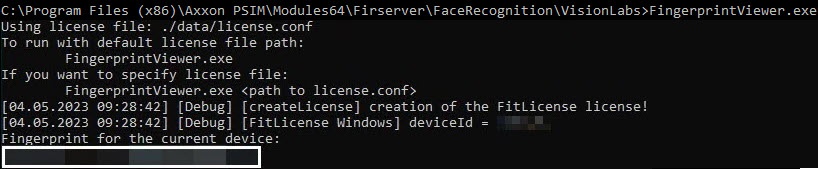
- In the command line, run the following file as administrator: C:\Program Files (x86)\Axxon PSIM\Modules64\Firserver\FaceRecognition\VisionLabsVL\FingerprintViewer.exe. You will receive the FingerPrint data.
Go to the website.
Note title Attention! If you fail to log in to the website, contact the technical support.
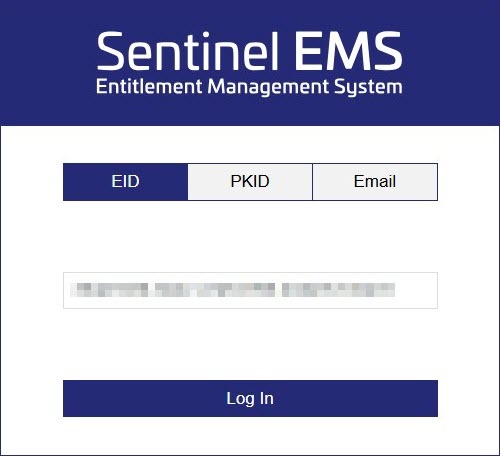
Tip - Log in using the received EID.
- Fill in the user registration data.
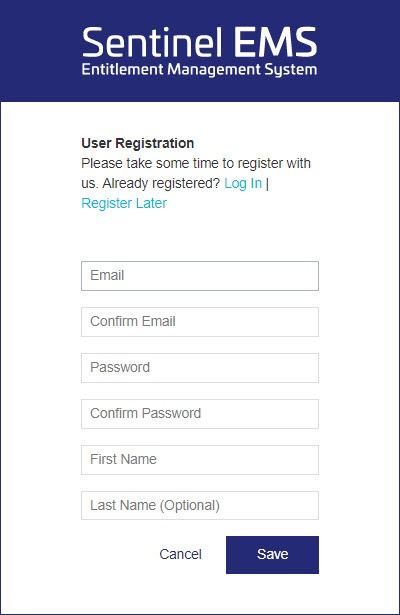
- Click the Save button .
- Click the Activate button to activate the license.
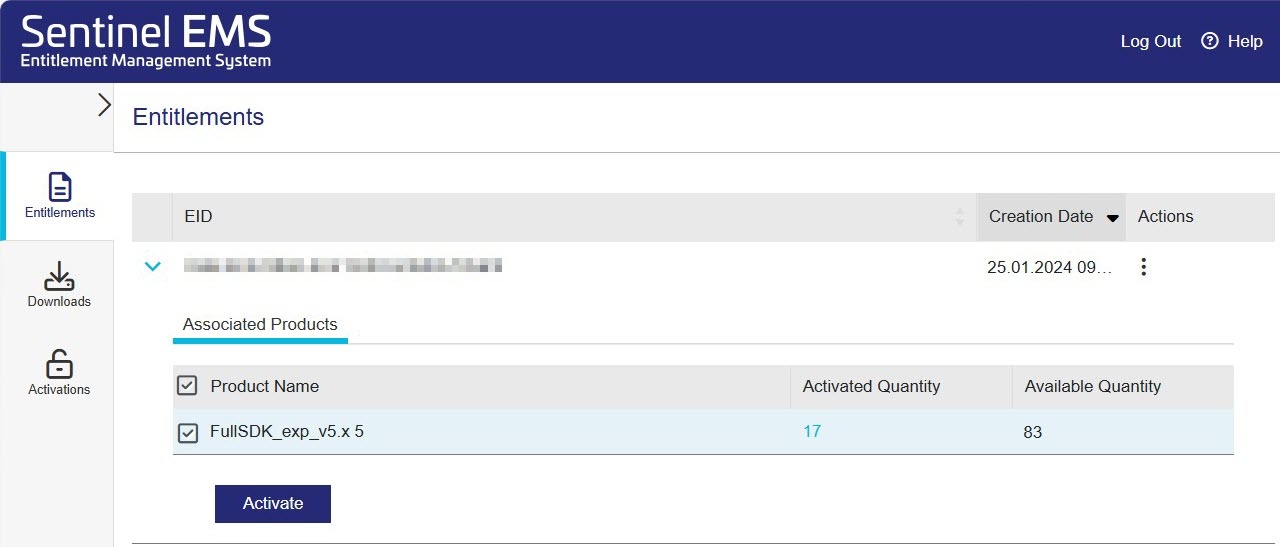
- In the Activatee Email field, specify the email address to confirm the license activation. The licenseFile.v2c file with license data will be sent to the specified email address.
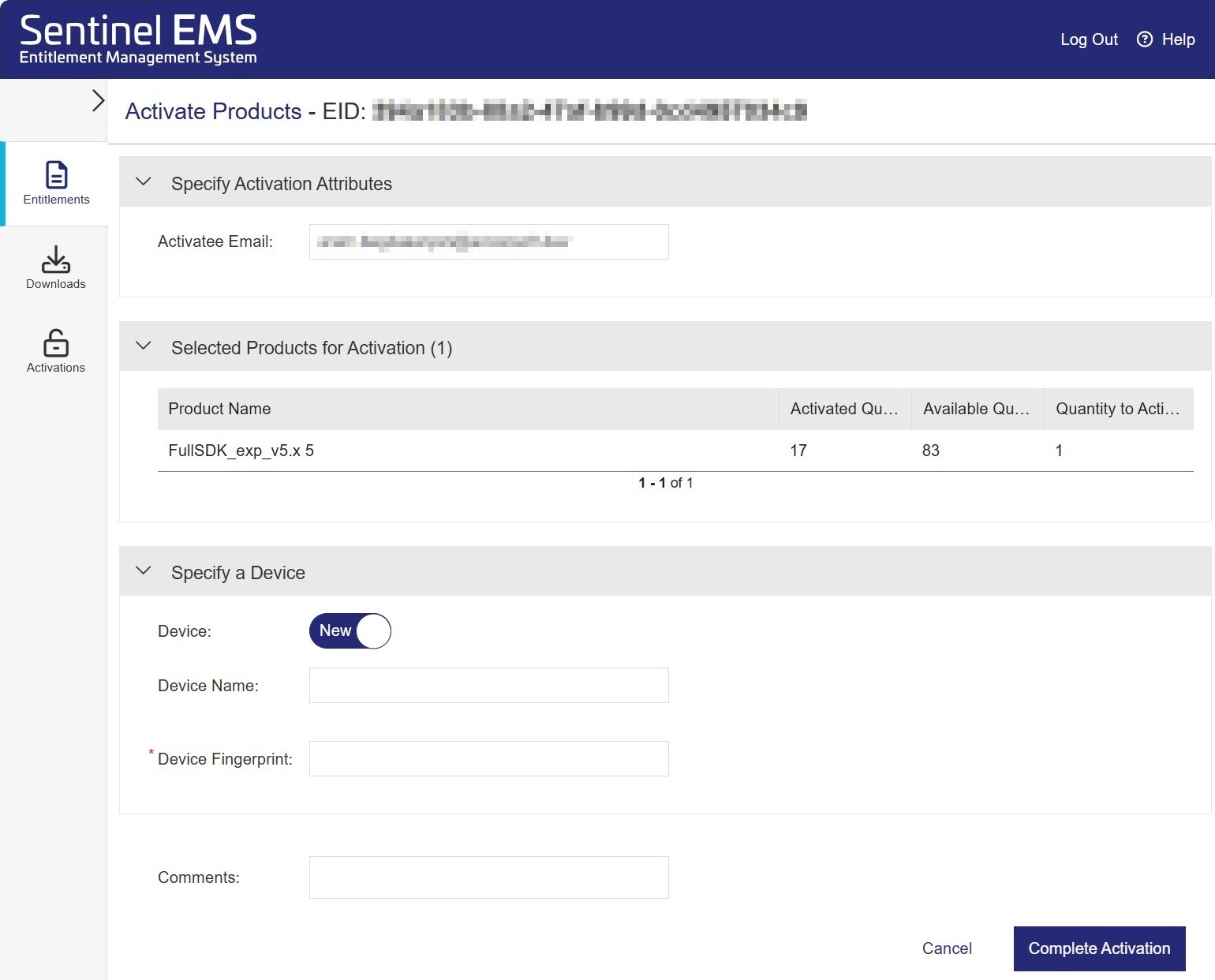
- In the Device FingerPrint field, specify the FingerPrint data.
- Click the Complete Activation button.
- Place the downloaded licenseFile.v2c file on the Server in the folder: C:\Program Files (x86)\Axxon PSIM\Modules64\Firserver\FaceRecognition\VisionLabs.VL.
- Make sure the license is successfully activated. If the Server is connected to the internet, the license will be checked automatically.
...
Activation of the software key of the VisionLabsL recognition module is complete.
Overview
Content Tools