Versions Compared

Key

  • This line was added.
  • This line was removed.
  • Formatting was changed.
Note
titleAttention!

Before you To create the replications report, you must first create and configure the the POS Replicator object in Axxon PSIM beforehand (see Configuring the POS Replicator system object).

...

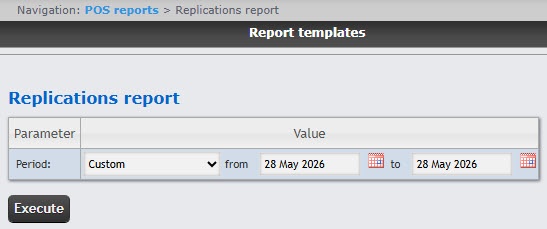
  1. Select the Replications report (see Select the type of general POS report).
  2. From the Period drop-down list, select the time period for the replication report.
    1. If you
    selected a
    1. select the Custom period, enter the start and end dates for the report in the from and to fields using the Calendar tool.
    You can open the Calendar by clicking the calendar icon next to the corresponding field.
  3. Click the Execute button.

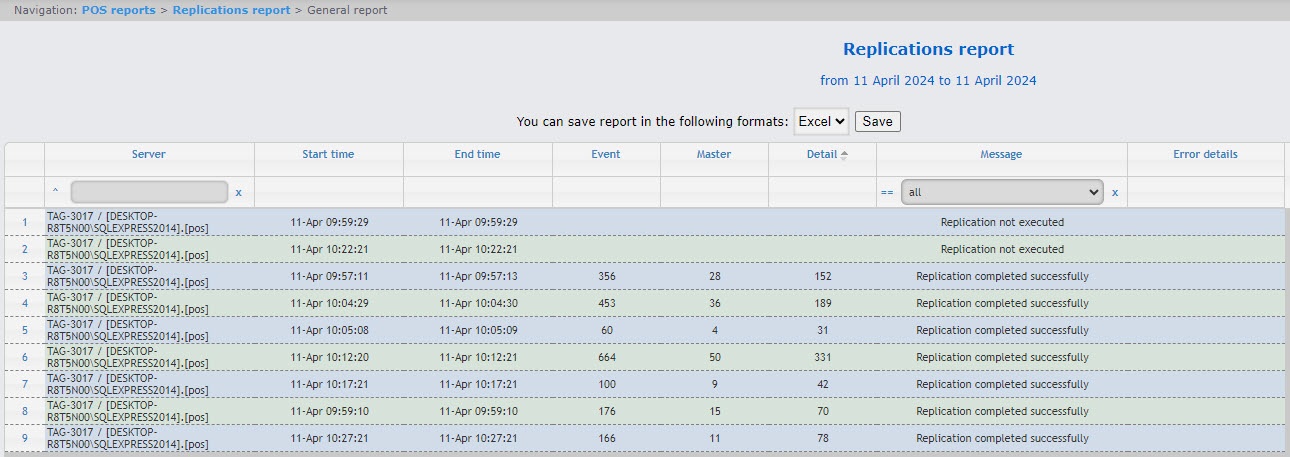
Example of a replication replications report: