


Page History
...
- Go to the settings panel of the BACnet Server object.
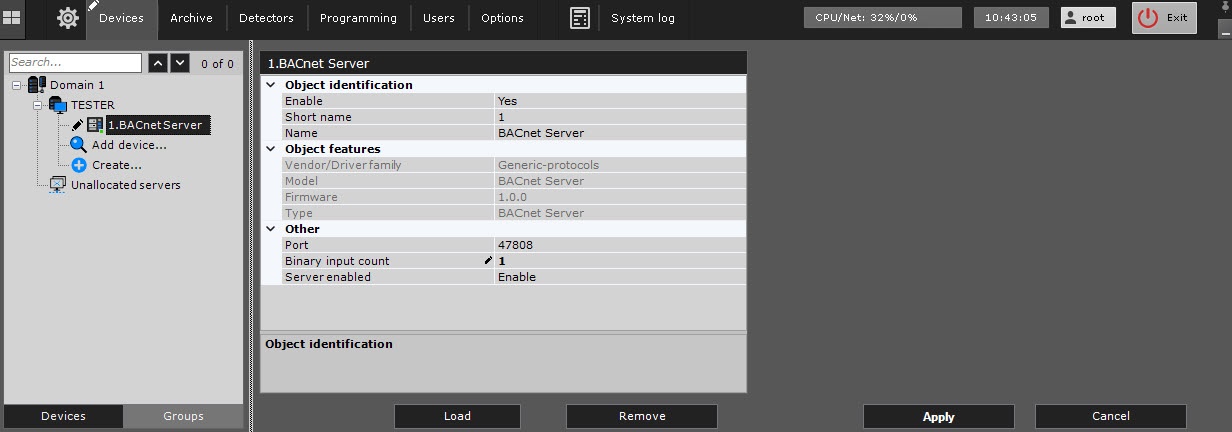
- In the Port field, specify the number of the port for connection to the BACnet device. The default value is 47808.
- In the Binary input count field, specify the count of binary input of the BACnet Server. The default value is 1.
- From Select Disable from the Server enabled drop-down list , select Disable, for disabling the connection to if you need to disable the BACnet server. The default value is is Enable.
- Click the Apply button to save the settings.
- Click the
 button and select Download Get configuration from the drop-down list.
 - Click the Apply button to save the settings.
Configuration of the object of the BACnet Server integration module is complete. As a result, a hardware tree is read: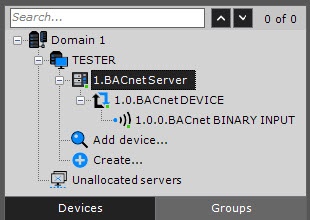
Overview
Content Tools