Unable to render embedded object: File (books.jpg) not found.
Go to documentation repository

Page History
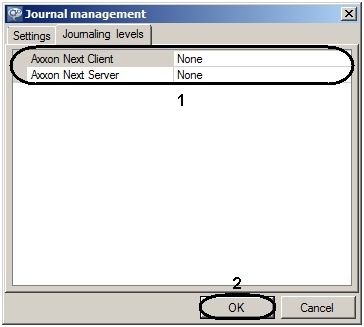
Loging logging levels differ in the list of events to be recorded in external logs, as well as the level of event specification (low, medium, high). Configuration of levels is carried out in the Loging logging levels tab of the log management utility.
To configure the loging logging level, you must perform the following steps:
Select the desired loging logging level of the client (Axxon Next Client) and the server (Axxon Next Server) (1).
Info title Note If you change the logging level of a Server, the server will be restarted
Loging logging level
Loging logging level description
None
Event loging logging disabled
Error
Low specification level – only system errors are logged
Warning
Low level of detail - only system warnings and system errors are logged
Info
Low level of detail - logs informational messages, system warnings, and system errors
Debug
Medium level of detail - logs debugging events, informational messages, system warnings, and system errors
Trace
High specification level – all system events are logged
- Click OK (2) to save changes.
Configuration of loging logging levels is complete.
Overview
Content Tools