Unable to render embedded object: File (books.jpg) not found.
Go to documentation repository

Page History
...
- Go to Settings ->Options ->User interface (1–2).
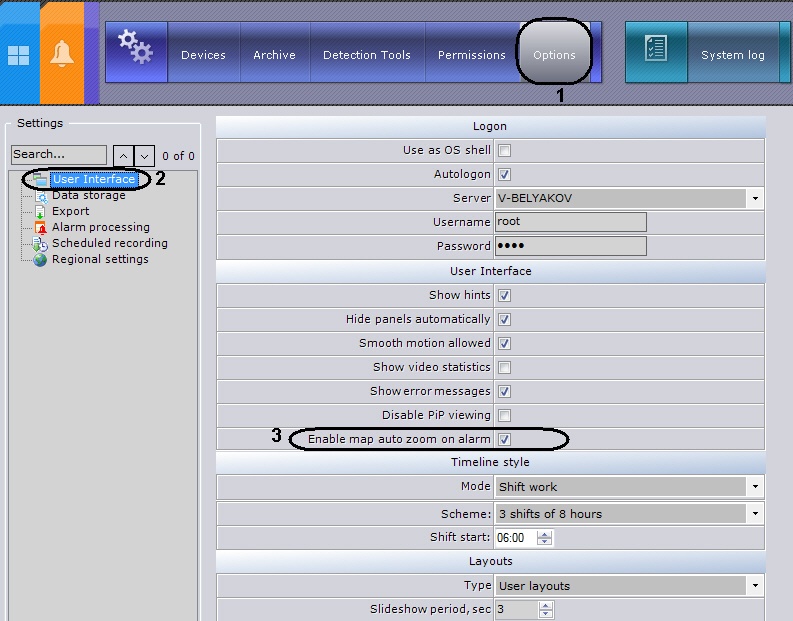
- Select the Enable map auto zoom on alarm (3) check box.
- Click the Apply button to save changes.
The map is automatically resized and refocused if this function is activated in the settings.
Overview
Content Tools