
Go to documentation repository


Page History
| Info | ||
|---|---|---|
| ||
The advanced settings of the Hikvision controller will be illustrated by an example of the Hikvision 26X controller. Advanced settings for other Hikvision controllers are similar. Advanced settings are not available for Hikvision KV series panels, such as DS-KV8102-IP |
...
. |
To perform an advanced setup of a HikVision Hikvision controller, do the following:
- Go to the Others tab (1) on the Hikvision 26X object configuration panel.
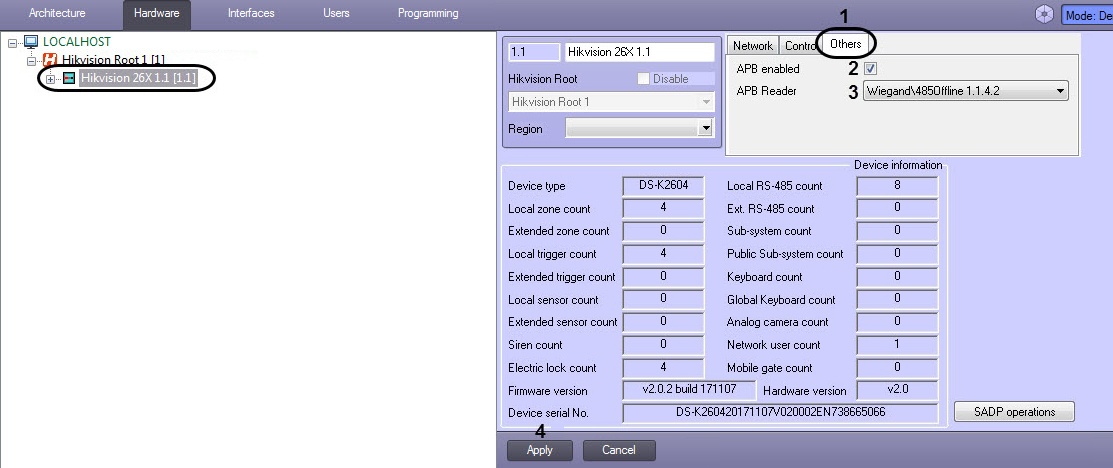
- Check the APB Enabled box (2) to enable passAnti-back monitoringPassback monitoring.
- From the APB Reader (3) drop-down list, select the starting reader for anti passAnti-back monitoring.select the starting reader for anti pass-back monitoringPassback monitoring.
- Click Apply button (4).
Advanced setup of the HikVision Hikvision controller is now complete.
Overview
Content Tools