


Page History
It is possible to install Intellect Detector Pack in a qiute quiet (silent) mode. For this select one of the following options:
Specify in the setup.ini file in the installation directory (see Installation):
Code Block [Startup] CmdLine=/quiet
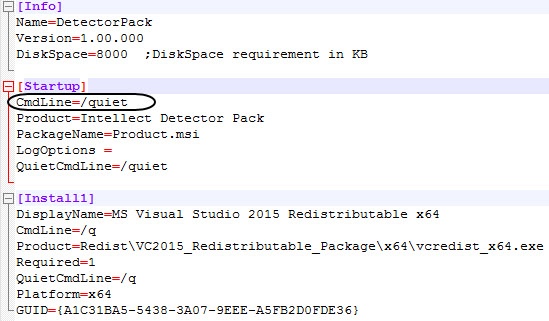
When Setup.exe is run,Intellect Detector Pack is installed in the quite the quiet (silent) mode.In the Intellect Detector Pack installation directory specify the following command in the Windows command line:
Code Block setup.exe /quiet
When the command is executed, the Intellect Detector Pack installation in the silent mode starts.
Overview
Content Tools