
Go to documentation repository


Page History
To enlarge a video image, select the area of the image that you would like to enlargeWybierz obszar, który ma zostać powiększony.
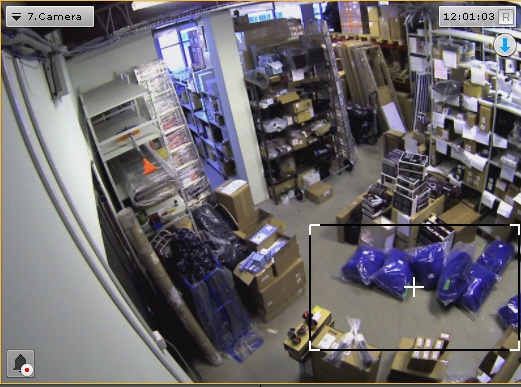
You can select an area by doing the following:
- Click and hold down the left mouse button inside the viewing tile.
- Move the mouse cursor to the desired position.
- Release the left mouse button.
Obszar można wybrać w następujący sposób:
- Naciśnij i przytrzymaj lewy przycisk myszy w oknie podglądu.
- Przesuń kursor myszy na wybraną pozycję
- Puść lewy przycisk myszy.
Po zakończeniu akcji, zaznaczony obszar zostanie wyświetlony na całości okna podgląduOnce you have completed the above actions, the selected area will be displayed across the entire viewing tile.
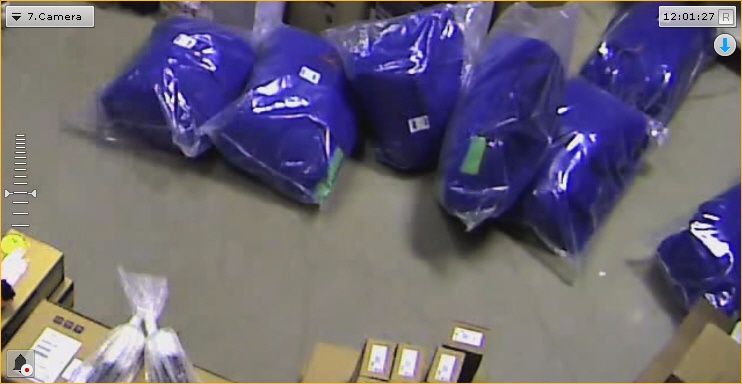
| Info | |||
|---|---|---|---|
| |||
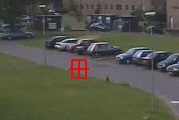
Jeśli zaznaczony obszar będzie wymagać zoomu większego niż 16x, zostanie on zaznaczony czerwoną ramką. Obszar nie zostanie powiększony; w takiej sytuacji należy zaznaczyć większy obszarIf you select an area that requires a zoom of more than 16x to display, it will be marked with a red frame. The video image will not be enlarged.
|
Overview
Content Tools