
Go to documentation repository


Page History
Komentarze operatorów są wyświetlane, gdy nagrania wideo są odtwarzane w oknie podglądu.
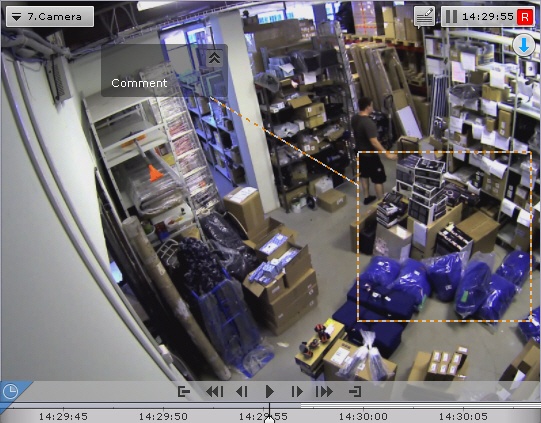
Komentarze tekstowe zaczynają się wyświetlać na pięć sekund przed wyświetleniem ramki, do której zostały one dodane (przed pierwszą ramką, jeśli komentarz został dodany do interwału czasowego), z detalami graficznymi określonymi podczas dodawania komentarza.
Gdy komentowana ramka jest wyświetlana, lub gdy odtwarzany jest interwał czasowy nagrania dla którego komentarz został przypisany, obszar lub punkt są podświetlone,
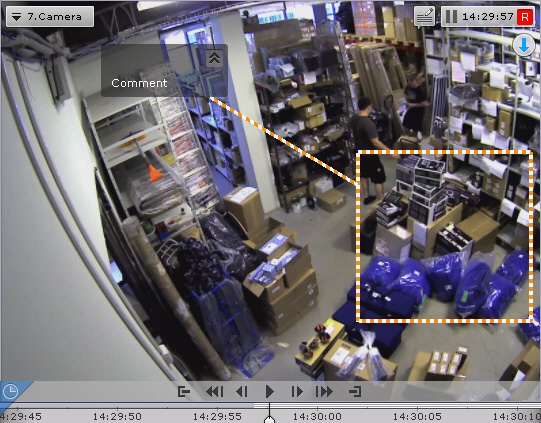
Pięć sekund po skomentowanej ramce (lub pięć sekund po zakończeniu interwału czasowego) komentarz jest ukrywany.
Aby zminimalizować komentarze oraz zdefiniowane obszary dla komentarzy (jeśli takowe były opisane), naciśnij przycisk  .
.
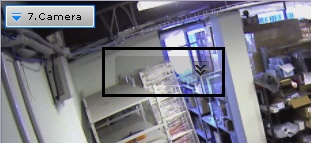
Aby powrócić do zwykłej formy wyświetlania komentarzy, naciśnij 
Operator comments are displayed when recorded video is played back in a viewing tile.
Comment text begins display five seconds before the frame for which the comment was added (before the first frame, if the comment was set for an interval), with gradual outlining of the area (or point) that was specified when adding the comment.
When the commented frame is shown or during the commented interval, the area (or point) is also highlighted,
Five seconds after the commented frame (after the end of the interval, if the comment was for an interval), the comment is hidden.
To minimize comments and the displayed area, if any was specified, click the button.
To return to the full comment, click the button.
Overview
Content Tools