
Ir al centro de documentación
Contact technical support

Page History
Puede utilizar el cliente web para monitorizar las alarmas activas en todo el dominio Axxon.
Para conseguir qie el cliente web muestre las alarmas activas, seleccione cualquier cámara o vista (ver Búsqueda de cámaras de vídeo en el cliente web, GUI del cliente web
You can use the Web-Client to monitor active alarms across the entire Axxon domain.
To make the Web-Client display active alarms, select any camera or layout (see Searching for video cameras in the Web-Client, Web-Client's GUI).
| Info | ||
|---|---|---|
| ||
You cannot monitor alarms that went off before you selected the camera/layout. | ||
| ||
No se permite monitorizar alarmas que saltaron antes de haber seleccionado la cámara o vista. |
Cuando una alarma se dispara, aparece un panel de alarmas (como en el software de cliente autónomo, ver When an alarms goes off, an alarm panel appears (like in the standalone client software, see Panel de alarmas).
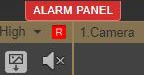
Click ALARM PANEL to open the Haga clic en el PANEL DE ALARMAS para abrir el panel.
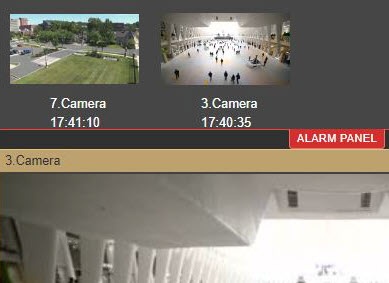 The system will now switch to Archive (video footage) viewing mode and show the video of the selected event
El sistema cambiará a modo archivo (imágenes de vídeo) y mostrará el vídeo del evento seleccionado.
Overview
Content Tools