
Go to documentation repository


Page History
비디오 카메라의 수동 그룹화는 그룹 액세스 권한을 구성하고 필요한 비디오 카메라를 빠르게 선택하여 표시할 수 있도록 설계되었습니다.
비디오 카메라 그룹은 인터페이스의 Devices 탭(설정 아래)을 사용하여 구성됩니다. 장치 그룹을 구성하려면 장치 구성을 위한 적절한 권한이 필요합니다.
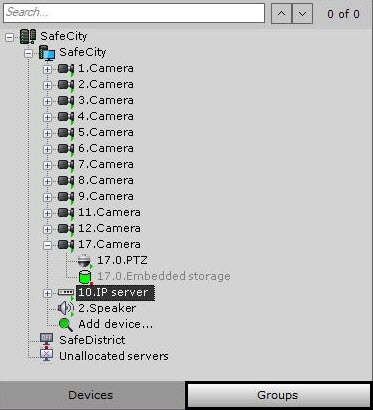
비디오 카메라 그룹 구성 절차
카메라 그룹은 다음 순서로 구성됩니다.
- 그룹 객체 생성
- 시스템에서 생성된 비디오 카메라를 그룹 객체에 추가
- 그룹 및 하위 그룹 시스템 생성
Manual grouping of video cameras is designed to configure group access rights and quickly select the required video camera for display.
Video camera groups are configured through the interface using the Devices tab (under Settings). To configure device groups, you must have the appropriate permissions to configure devices.
Procedure for configuring video camera groups
Camera groups are configured in the following sequence:
- Create Group objects.
- Add video cameras created in the system to the Group objects.
- Create a system of groups and subgroups.
Overview
Content Tools