
Go to documentation repository


Page History
클러스터, 데이터베이스, 노드 구성을 백업하고 복원할 수 있습니다.
기본적으로 클러스터 구성의 백업 복사본은 각 매니저 서버(Manager Server)에서 24시간마다 생성됩니다. 운영자의 명령에 의해 백업 복사본이 생성된 경우 다음 자동 백업은 24시간 이후에 수행됩니다
You can back up your cluster, database, and nodes configuration and restore it.
By default, backup copies of the cluster configuration are created each 24 hours on each Manager Server. If a backup copy was created by operator's command, the next automatic backup will be performed not earlier than after 24 hours.
| Note | ||
|---|---|---|
| ||
The object trajectory DB cannot be backed up. In the event of server hardware failure, all metadata stored in the database will be lost irretrievably. |
To create a backup:
- Go to the CONFIGURATION tab.
- Click the BACK UP button (1) and download the backup by clicking the
button.
To restore a configuration from a backup:
Create a cluster first.
개체 궤적 DB는 백업할 수 없습니다. 서버 하드웨어 장애가 발생하면 데이터베이스에 저장된 모든 메타데이터가 복구 불가능하게 손실됩니다. |
백업을 생성하려면:
- CONFIGURATION(구성) 탭으로 이동합니다.
- BACK UP(백업 버튼)(1)을 클릭하고
 버튼을 클릭하여 백업을 다운로드 합니다.
백업에서 구성을 복원하려면:
먼저 클러스터를 만듭니다.
- CONFIGURATION(구성) 탭으로 이동합니다.
- RESTORE(복원) 버튼(2)을 클릭하고 구성 백업이 있는 파일을 선택합니다.
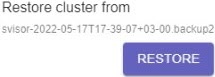
RESTORE(복원) 버튼을 클릭합니다
- Go to the CONFIGURATION tab.
- Click the RESTORE button (2) and select the file with the configuration backup.
Click the RESTORE button.
Note title Attention! Restoring configuration will stop all active tasks.
구성을 복원하면 모든 활성 작업이 중지됩니다.
구성 복원이 완료됩니다Configuration restore is completed.
Overview
Content Tools