
Go to documentation repository


Page History
녹화된 비디오를 보기 타일에서 재생할 때 운영자 의견이 표시됩니다.
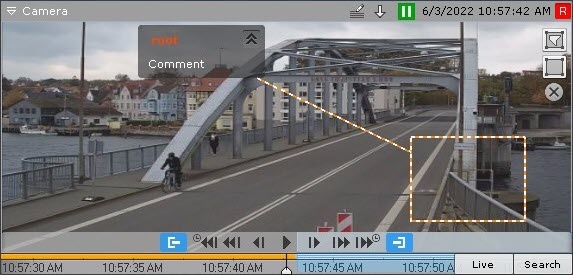
코멘트 텍스트는 댓글이 추가된 프레임의 5초 전(코멘트 간격이 설정된 경우 첫 번째 프레임 전)부터 표시되기 시작하며, 코멘트를 추가할 때 지정한 영역(또는 지점)이 점진적으로 윤곽이 그려집니다.
코멘트가 달린 프레임이 표시되거나 코멘트가 달린 간격 동안 해당 영역(또는 지점)도 강조 표시됩니다.
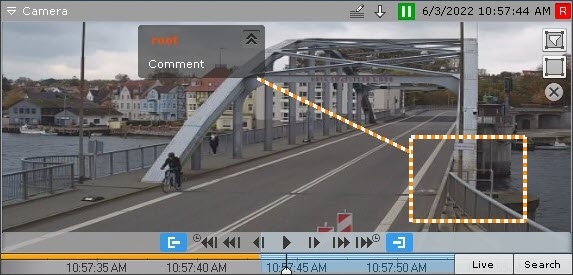
코멘트 달린 프레임에서 5초가 지나면(코멘트가 간격에 대한 것이라면 간격이 끝난 후) 코멘트 숨겨집니다.
코멘트와 표시되는 영역을 최소화하려면 지정된 경우,  버튼을 클릭하세요.
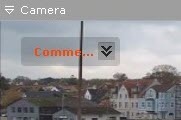
전체 코멘트로 돌아가려면  버튼을 클릭하세요
Operator comments are displayed when recorded video is played back in a viewing tile.
Comment text begins display five seconds before the frame for which the comment was added (before the first frame, if the comment was set for an interval), with gradual outlining of the area (or point) that was specified when adding the comment.
When the commented frame is shown or during the commented interval, the area (or point) is also highlighted,
Five seconds after the commented frame (after the end of the interval, if the comment was for an interval), the comment is hidden.
To minimize comments and the displayed area, if any was specified, click the button.
To return to the full comment, click the button.
Overview
Content Tools