
Go to documentation repository


Page History
검색 제어판은 검색이 완료되면 얼마나 많은 에피소드가 발견되었는지 보여줍니다.

검색 결과 패널은 정의된 검색 기준에 해당하는 아카이브의 정확한 순간을 표시합니다. 각 순간의 정확한 시간은 그 아래에 표시됩니다 (1). 찾은 결과는 비디오 녹화의 시작입니다
The Search Control Panel shows how many episodes are found when the search is complete.
The search results panel displays the precise moments in an archive that correspond to the defined search criteria. The precise time of each moment is displayed under it (1). The found results are the beginning of video recordings.
| Info | ||
|---|---|---|
| ||
|
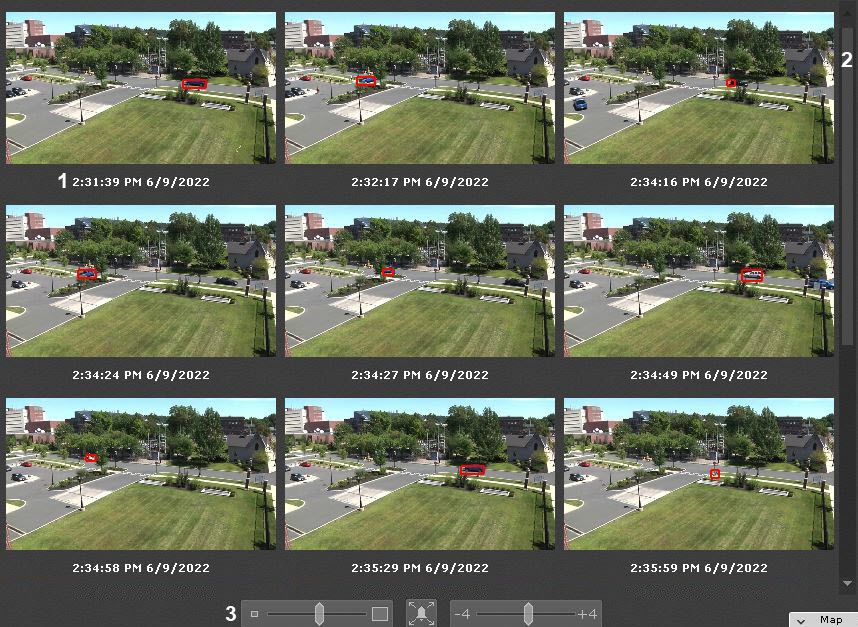
A scroll bar is located on the right side of the search results panel (2). Under it, there is a scale slider (3).
|
검색 결과 패널의 오른쪽에 스크롤 바가 있습니다 (2). 그 아래에 스케일 슬라이더가 있습니다 (3).
타임라인에서 위치 지정 시 (타임라인을 사용하여 탐색 참고), 검색 결과 중에서 자동으로 위치 지정이 이루어집니다. 위치 지정 지점에 가장 가까운 검색 결과가 검색 결과 중에서 강조 표시됩니다When positioning on the timeline (see 타임라인을 사용하여 탐색), the positioning is automatically performed among the search results. The search result closest to the positioning point will be highlighted among the search results.
| Info | ||
|---|---|---|
| ||
If you select search results close to the limits of the timeline (see 타임라인 한계에 가까운 검색 결과를 선택할 경우 (검색 간격 설정 참고), the search range may shift. |
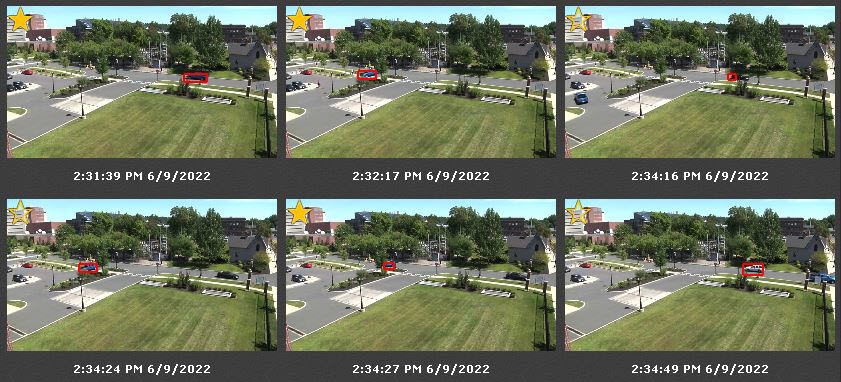
You can filter the search results and keep only the important episodes. To do this:
검색 범위가 변경될 수 있습니다. |
검색 결과를 필터링하고 중요한 에피소드만 보관할 수 있습니다. 이렇게 하려면 다음을 따르세요.
보관하려는 에피소드를 두 번 클릭합니다. 썸네일에는 별표
 가 붙어 있습니다Double-click the episode, that you want to keep. Its thumbnail is tagged with a star .
Info title Note To remove the tag, click the star again
.- Tag all the episodes you want to keep.
태그를 제거하려면 별표를 다시 클릭하세요
.- 보관하고 싶은 모든 에피소드에 태그를 지정하세요.
태그가 지정되지 않은 에피소드를 검색 결과에서 삭제하려면 지우기(Clear) 버튼을 클릭하세요.Click the Clear button to delete untagged episodes from the search results.
Overview
Content Tools