
Go to documentation repository


Page History
The Statistics Board is a graph of the number of events of a certain type for a specified timeframe. The type of events and amount of time between the points of the graph are configured in the board settings (see 통계 보드는 지정된 기간 동안 특정 유형의 이벤트 수를 그래프로 나타낸 것입니다. 그래프의 점 사이의 이벤트 유형과 시간 양은 보드 설정에서 구성됩니다 (Configuring a Statistics Board 참고).
The points of the graph change over time and depend on the current time and interval specified in the settings.
The points are calculated every minute/hour/day/etc. based on the selected unit of measurement (if the interval is specified in minutes, then every minute; if specified in hours, then every hour, and so forth) and is performed as follows:
- The current time (last point on the graph) is rounded to the nearest whole unit of time (if the interval in the settings is specified in minutes, then the nearest whole minute; if specified in hours, then the nearest whole hour, and so forth).
- This rounded time is used as the next-to-last point.
- The formula for the other points is as follows: the adjacent point to the right, minus the interval of time specified in the settings.
그래프의 점은 시간이 지남에 따라 바뀌며 설정에서 지정한 현재 시간과 간격에 따라 달라집니다.
포인트는 선택한 측정 단위(간격을 분으로 지정한 경우 매 분, 시간으로 지정한 경우 매 시간 등)에 따라 매 분/매 시간/매 일 등으로 계산되며 다음과 같이 수행됩니다.
- 현재 시간(그래프의 마지막 지점)은 가장 가까운 정수 단위로 반올림됩니다(설정의 간격이 분으로 지정된 경우 가장 가까운 정수 분이 되고, 시간으로 지정된 경우 가장 가까운 정수 시간이 됩니다).
- 이렇게 반올림된 시간은 마지막에서 두 번째 지점으로 사용됩니다.
- 다른 지점에 대한 공식은 다음과 같습니다. 설정에서 지정한 시간 간격을 뺀 오른쪽에 인접한 지점입니다.
예를 들어, 여기 샘플 그래프에서는 간격이10분으로 설정되어 있습니다. 현재 시간For example, the interval is set to 10 minutes on this sample graph here. The current time (1:07:33 p.m.) is the last point on the graph, so after rounding this to the next whole minute we get the value for the next-to-last point: 이 그래프의 마지막 지점이므로 이를 다음 정수 분으로 반올림하면 마지막에서 두 번째 지점의 값이 1:07:00 p.m.Correspondingly, the points before it are 이 됩니다. 따라서 그 앞의 지점은 12:57:00 p.m., 12:47:00 p.m. , etc등 입니다.
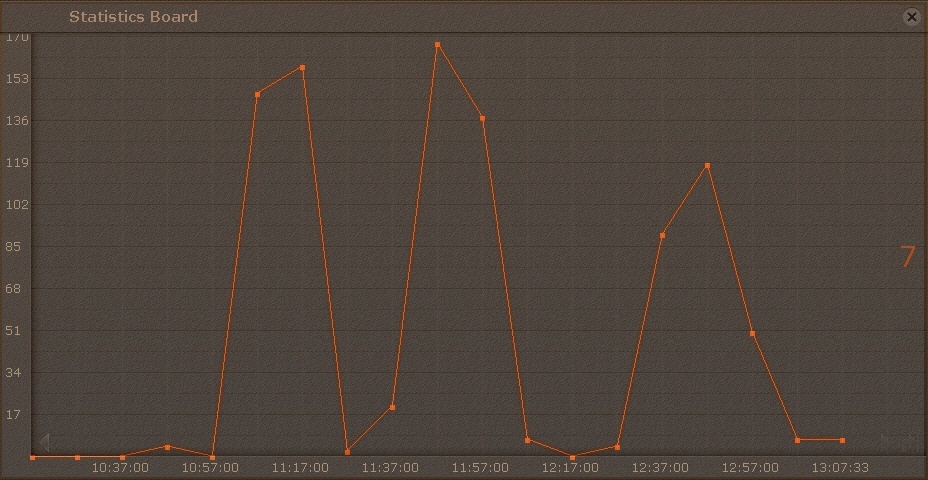
현재 시간이 When the current time becomes 1:08:00 p.m., the points will be updated to 이 되면 포인트는 12:58:00 p.m., 12:48:00 p.m. , etc.
The graph displays the current number of events. The number of events is recalculated every minute and does not depend on the interval chosen.
등으로 업데이트 됩니다.
그래프는 현재 이벤트 수를 표시합니다. 이벤트 수는 1분마다 재계산되며 선택한 간격에 따라 달라지지 않습니다.
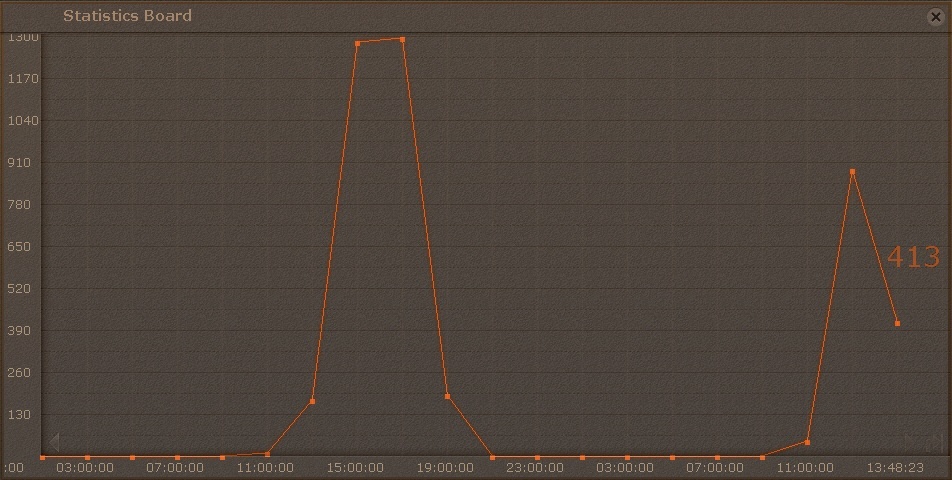
예를 들어, 시간 간격이 2 hours 이고 현재 시간이 For example, for this graph with a time interval of 2 hours and a current time of 1:48:23 p.m., the current number of events equals 413, for the period from 인 이 그래프의 경우, 11:48:00 a.m. to 부터 1:48:00 p.m 까지의 기간 동안 현재 이벤트 수는 413입니다.
To scroll through the graph, use the arrows on the graph edges. To jump to the last point on the graph, click the
button.
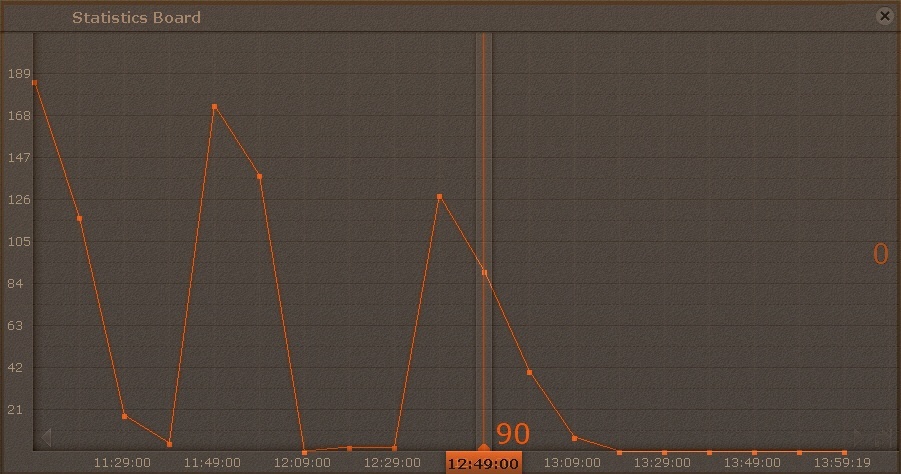
Clicking anywhere on the graph jumps to the nearest point and the relevant value is indicated.
그래프를 스크롤하려면 그래프 모서리에서  화살표를 사용하세요. 그래프의 마지막 지점으로 이동하려면
  버튼을 사용하세요.
그래프의 아무 곳이나 클릭하면 가장 가까운 지점으로 이동하고 해당 값이 표시됩니다.
Overview
Content Tools