
Go to documentation repository


Page History
To arm the camera by of the main detector detection zone, select the Arm option in the functions function menu in of the required camera surveillance window.
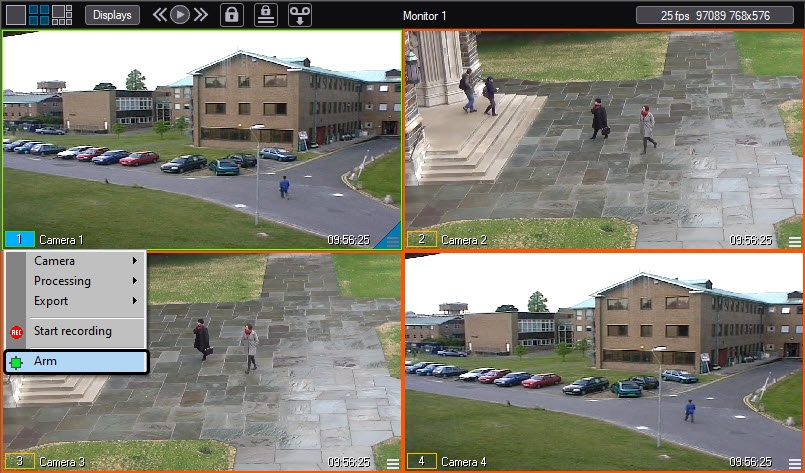
After this, the camera is activated, and if an alarm event occursis registered, video recording starts from the camera is recorded (if the system has been set up properly). Camera arming by the main zone is followed by colour indication: the surveillance window border becomes yellow and the camera indicator in the surveillance window functions menu becomes yellow too.
If auxiliary zones are assigned, camera arming by auxiliary zones is performed via the video surveillance window functions menu.
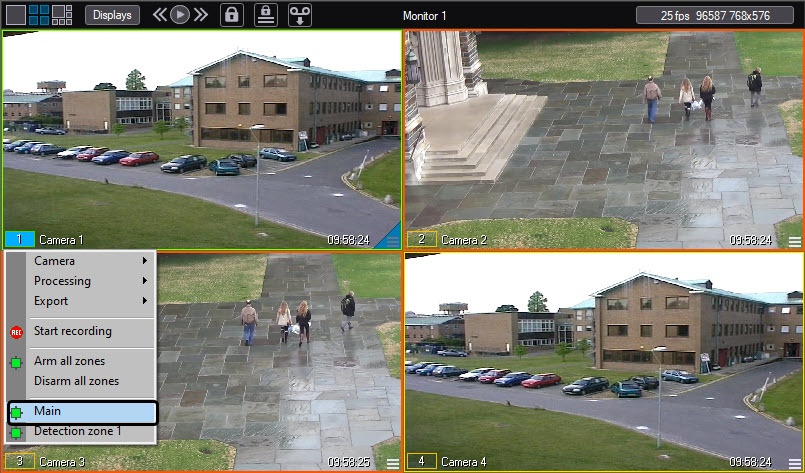
is configured accordingly). When you arm the camera of the main detection zone, the outline color changes: the outline color of the surveillance window turns yellow, and the color of the camera indicator in the function menu of the surveillance window also turns yellow.
If you specify additional detection zones, you can also use the function menu of the surveillance window to arm the cameras of additional detection zones.
When you arm the camera of additional detection zones When auxiliary zones are armed, the camera indicator in the functions menu becomes yellow, but function menu of the surveillance window border retains its colourturns yellow.
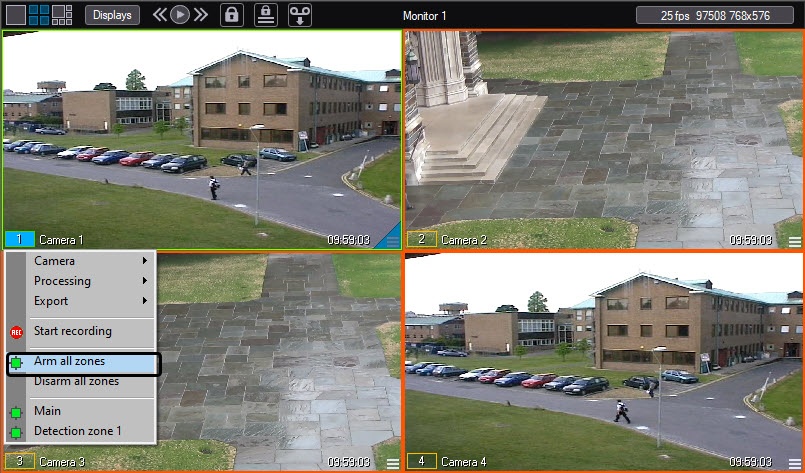
To arm the camera in of the main detection zone and all auxiliary additional detection zones simultaneously, select the Arm all zones item in the function menu of the video surveillance window functions menu.
Overview
Content Tools