
Go to documentation repository
| Note | ||
|---|---|---|
| ||
To create the Incident manager report, you must first create and configure the Incident manager (see Configuring the Incident manager interface object), Incident server and Incident handler (see Configuring Incident server and Incident handler) objects in Axxon PSIM. |
To create the Incident manager report, do the following:
...
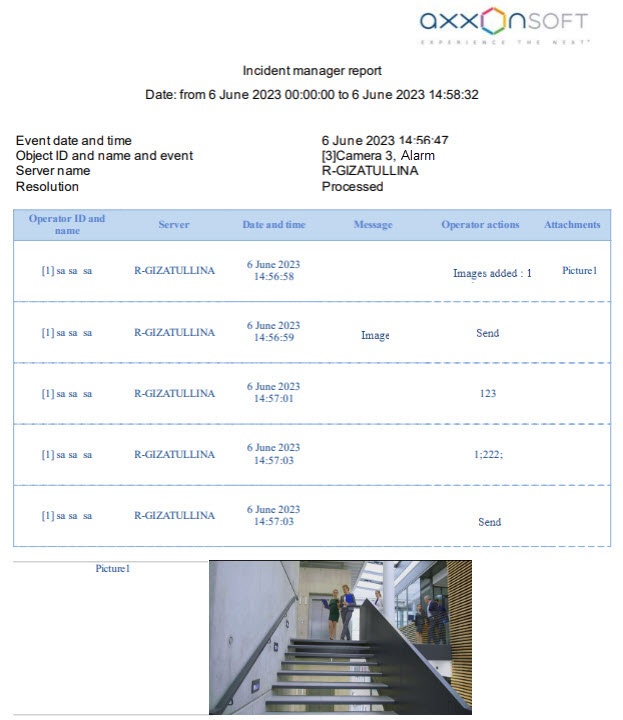
Example of the Incident manager report:
| Info | ||
|---|---|---|
| ||
The Incident manager report has a Resolution field with the Processed or Canceled values. When you close an event without going through all steps, Resolution: Canceled is displayed. When you close an event with going through all steps, Resolution: Processed is displayed. If an event wasn’t processed and wasn’t canceled (for example, Axxon PSIM restart), the Resolution field is blank. This information is contained in the resolution column of the dbo.PROTOCOL_INC_SERVER table. When resolution=1, an alarm was closed without processing. |

