
Go to documentation repository
To set up the LPR channel object, specify you must select the main camera for LP number license plate recognition and, and if necessary, an additional synchronous camera, if necessary.
The main recognition video camera is directed at the traffic lane. The synchronous additional video camera covers the same area as the main video camera, but it can be mounted in another place. Two video cameras can be controlled synchronously You can synchronize the operation of the main and additional cameras using scripts or macros.
Example. Gas filling station. The main video camera is directed at the incoming lane and recognizes the LP numbers of license plates approaching cars. The additional synchronous video camera is mounted at the side of the lane and monitors the fueling process.
To select the video cameras, do the following:
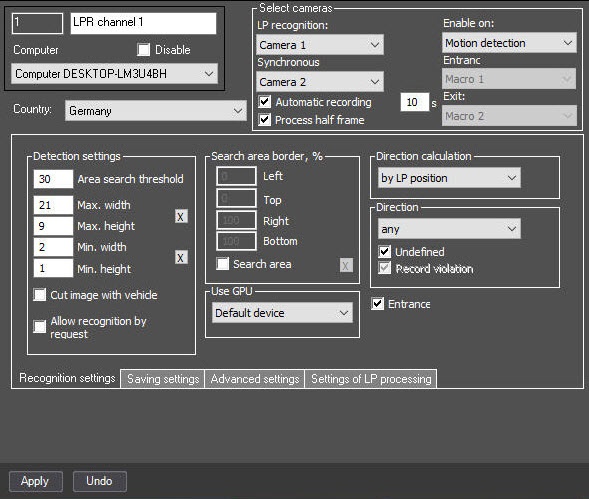
From the LP recognition drop drop-down list (1), select a required the required Camera object (the main camera for LP number license plate recognition).
| Info | ||
|---|---|---|
| ||
The same camera can be used for variousLPR license plate recognitionchannels. |
From the Synchronous shooting drop drop-down list (2), select a required the required Camera object object (the additional synchronous camera). To To get a contextual frames from an ANPR camera, you must select the same camera that is selected as the main one.
| Note | ||
|---|---|---|
| ||
Frames from the synchronous video camera are recorded only if continuous recording is enabled on both video cameras. |
Click the Apply button (3).
The camera selection for the license plate recognitionchannel is completed.

