Unable to render embedded object: File (books.jpg) not found.
Go to documentation repository

Page History
The video camera panel is used to display a list of video cameras linked to Axxon Next.
| Info | ||
|---|---|---|
| ||
| By default, all connected the video cameras are displayed on the video camera panel (the All groups group).panel does not display any video cameras (Not selected status) |
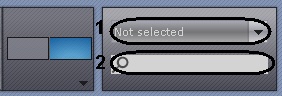
You can search for a camera either by:
- Click the All groups the Not selected drop-down list (1) and select the necessary video camera group from the displayed list.
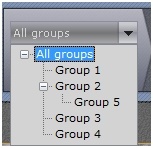
Once you have selected a group, the video camera panel will display only those video cameras that are included in the selected group. - Enter video camera's name or part of it into the search field (2).
The search starts automatically and all cameras with that name will be displayed in the Video camera panel.
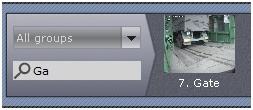
| Info | ||
|---|---|---|
| ||
| A video camera is displayed on the video camera panel only once. If you selected a group containing subgroups that all include a specific video camera, that video camera will be displayed on the video camera panel only once. |
...
Overview
Content Tools