
Go to documentation repository


Page History
| Section | |||||||||||||||||||||
|---|---|---|---|---|---|---|---|---|---|---|---|---|---|---|---|---|---|---|---|---|---|
|
Generating a report on alarms as system failures
In Monitoring PSIM, you can generate a report on alarms as failures (see Report on system failures) by specifying the beginning of the alarm, its ending, and its duration. For this, the alarms must have starting and finishing events. To generate such a report on alarms as failures, do the following:
...
Generating a report on alarms as system failures is complete.
Features of generating a report on alarms as system failures
When you clear the Alarms as failures checkbox, the Failure type list displays standard failures.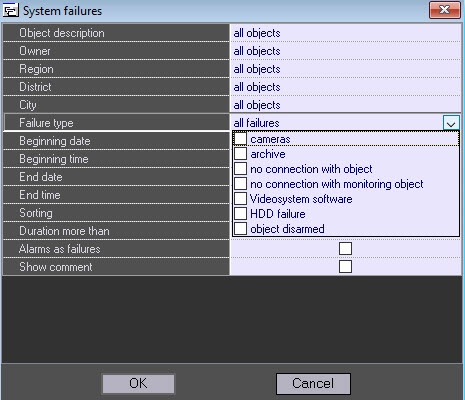
...
You can generate a report for all failures (Failure type=all failures) or several ones (in the Failure type field, select specific failure).
Example of a script for a timer with number 1, which triggers once a day
If the starting event is lost, the Alarms as failures incorrect report is created. To avoid this, we recommend using scripts on the Control Agent side to generate, for example, a starting or finishing event once a day, depending on the object's current state. For more details on how to create scripts, see Axxon PSIM Software Package: Guide for creating scripts (programming).
Example of a script for a timer with number 1, which triggers once a day.
...
Overview
Content Tools