
Go to documentation repository


Page History
In ACFA Intellect the FortForteza-Controller relay is configured on the settings panel of the Fort Forteza-Controller relay object. This object is created under the Fort Forteza-Controller object in the Hardware tab of the System settings dialog box.
Configure FortForteza-Controller relay as follows:
- Go to the settings panel of the FortForteza-Controller relay object.
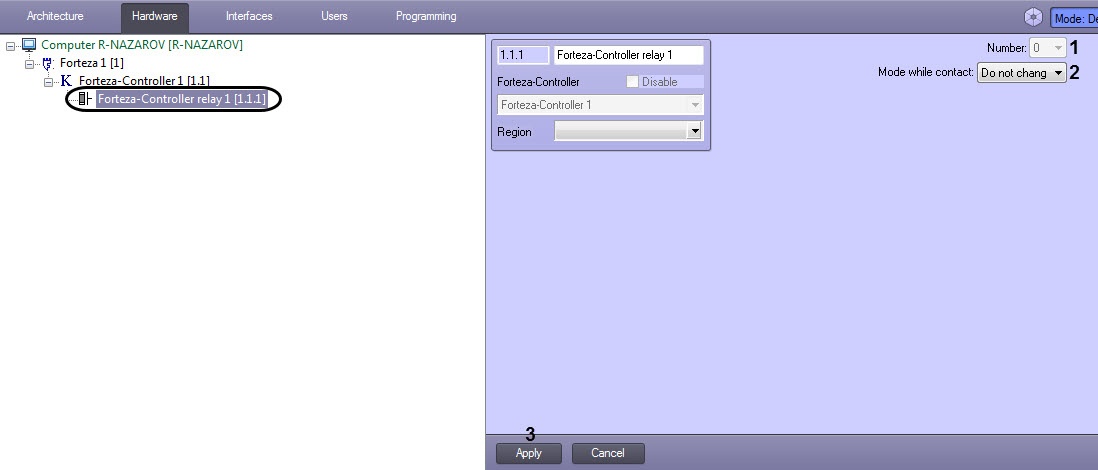
- Field Number (1) can not be changed.
- From the Mode while contact: drop-down list select the mode of relay operation (12):
- Do not change – mode of relay is not changed while connection to device.
- Enabled – relay is enabled while connection to device.
- Disabled – relay is disabled while connection to device.
- To save changes click the Apply button (23).
FortForteza-Controller relay is configured.
Overview
Content Tools