
Go to documentation repository


Page History
보기 타일 상황에 맞는 메뉴는 다음 기능에 액세스하는 데 사용됩니다 (활성화된 감시 모드에 따라 다름).
- 비디오 감시
- 오디오 모니터링
- 프레임 및 녹화 내보내기
- 객체 추적
보기 타일 상황에 맞는 메뉴를 불러오려면 타일의 왼쪽 상단에 있는 비디오 카메라 아이콘을 마우스 왼쪽 버튼으로 클릭하세요
The viewing tile context menu is used to access the following functions (depending on the enabled surveillance mode):
- Video surveillance.
- Audio monitoring.
- Exporting frames and recordings.
- Object tracking.
To bring up the viewing tile context menu, left-click the video camera icon in the upper left-hand corner of the tile.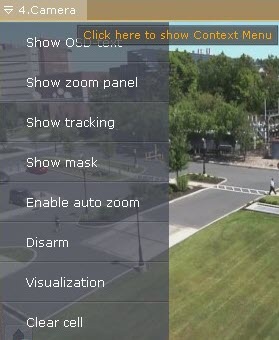
Overview
Content Tools