
Go to documentation repository


Page History
| Note | ||
|---|---|---|
| ||
| The Microphone object must be enabled (see the section titled The Microphone Object). | ||
| 마이크(Microphone) 객체를 활성화해야 합니다 (마이크 객체 섹션 참고). |
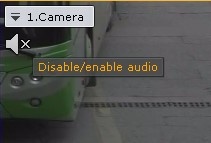
클라이언트에서 카메라 마이크의 소리를 들으려면 보기 타일에서 스피커 아이콘을 왼쪽 클릭하여 활성화하세요To listen on the Client to sound from the microphone of a camera, left-click to activate the speaker icon in the viewing tile.
| Info | ||
|---|---|---|
| ||
Audio from only one camera can be played back at a time |
The speaker icon now becomes active and a volume slider appears.
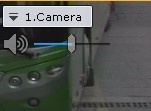
Volume is controlled using the volume adjuster.
...
한 번에 한 대의 카메라의 오디오만 재생할 수 있습니다. |
이제 스피커 아이콘이 활성화되고 볼륨 슬라이더가 나타납니다.
볼륨은 볼륨 조절기를 사용하여 조절합니다.
조정 장치의 가장 왼쪽 위치는 최소 볼륨을 나타내고, 가장 오른쪽 위치는 최대 볼륨을 나타냅니다.
| Info | ||
|---|---|---|
| ||
The Axxon One VMS has an embedded sound booster. |
To turn off audio playback, click the speaker icon again.
If a camera has several microphones connected, use the following procedure to select the audio source:
One VMS에는 사운드 부스터가 내장되어 있습니다. |
오디오 재생을 끄려면 스피커 아이콘을 다시 클릭하세요.
카메라에 여러 개의 마이크가 연결된 경우 다음 절차에 따라 오디오 소스를 선택하세요.
- 카메라의 상황에 맞는 메뉴를 엽니다.
- 소리(Sound)를 선택하세요.
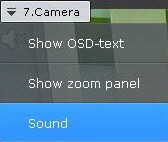
필요한 마이크를 선택하세요
- Open the camera's context menu.
- Select Sound.
Select the microphone you need.
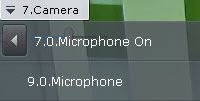
Info title Note The currently selected microphone is marked as On. If you select a 7.0 microphone, the 9.0 microphone is set to off, and 7.0 microphone to on현재 선택된 마이크는 켜짐(On)으로 표시됩니다. 7.0 마이크를 선택하면 9.0 마이크는 꺼짐으로 설정되고 7.0 마이크는 켜짐으로 설정됩니다.
| Info | ||
|---|---|---|
| ||
현재 지정된 라우드스피커가 오프라인이 되면 시스템은 자동으로 사용 가능한 다른 라우드스피커로 전환합니다. 첫 번째 라우드스피커가 다시 온라인 상태가 된 후에는 자동 전환이 이루어지지 않습니다. 이런 경우 첫 번째 라우드스피커를 자동으로 활성화하려면 NGP_PORTSOUND_HOSTAPI 시스템 변수를 생성하여 DS로 설정해야 합니다 (부록 9. 시스템 변수 생성 참고 If a currently specified loudspeaker goes offline, the system automatically switches to another available one. After the first loudspeaker goes back online, no automatic switching will occur. To automatically activate the first loudspeaker in such a case, you have to create a NGP_PORTSOUND_HOSTAPI system variable and set it to DS (see Appendix 9. Creating system variable). |
Overview
Content Tools