
Go to documentation repository


Page History
...
Open the Sound window and go to the Recording tab.
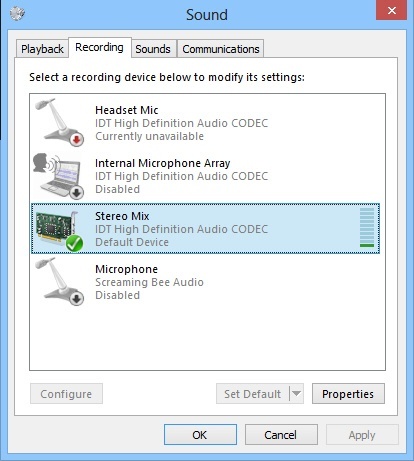
Info title Note In Windows 7, you can open this window by selecting the Recording Devices item in the menu that opens when you right-click the speaker icon.
If there is no Stereo Mix device on the Recording tab, right-click any empty space in the list and select Show Disabled Devices.
If the Stereo Mix device is disabled, right-click it and select Enable.
Click the Apply button in the Sound window.
...
Overview
Content Tools