
Go to documentation repository
...
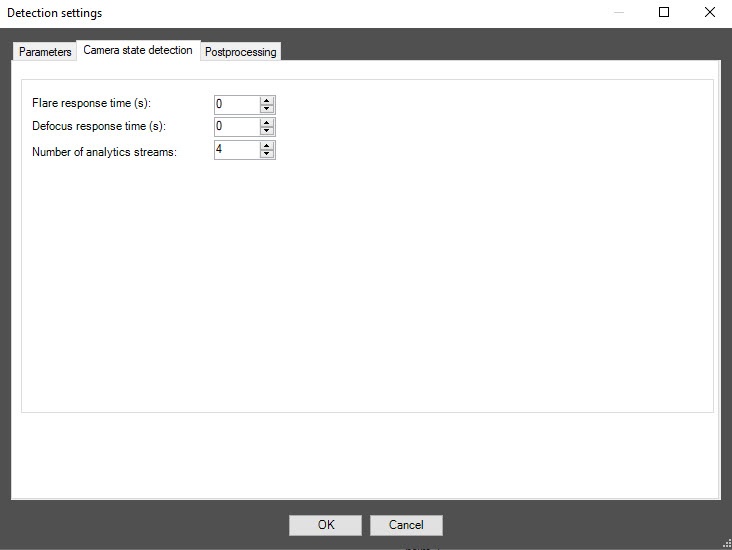
In the Flare response time (secs) field, specify the time interval in seconds after which the detector signals whether the video surveillance scene is backlighted or darkened.
In the Defocus response time (secs) field, specify the time interval in seconds after which the detector signals that the video surveillance scene is defocused.
...
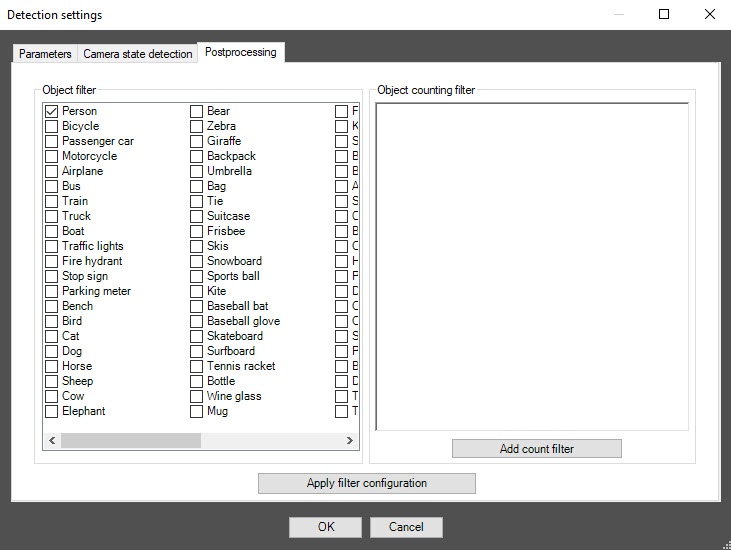
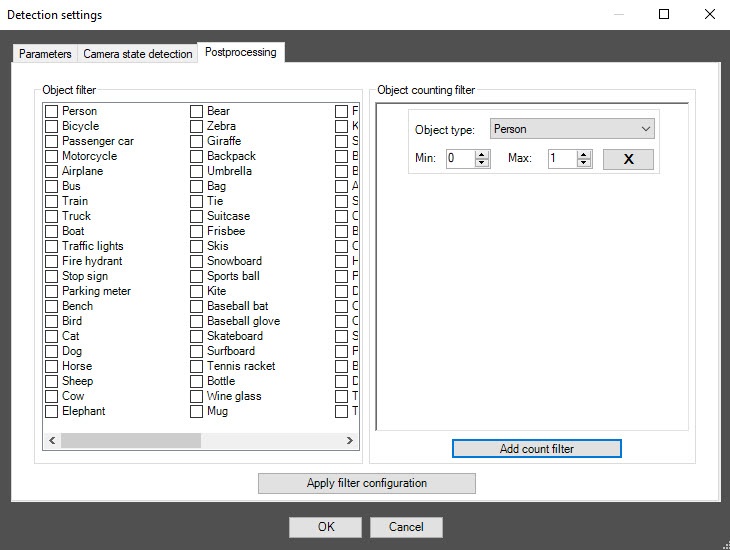
You can use this tab to configure object filters or object counting filters according to the option selected from the Detection filtering drop-down list in the basic settings of the detector.
| Info | ||
|---|---|---|
| ||
To remove the filter, click it again. |
| Info | ||
|---|---|---|
| ||
To remove the filter, click the cross to the right of it. |
Click the OK button to save all settings of the detector. The Detection settings window closes, and you return to the detector settings panel.
To save all changes, click the Apply button
...
on the settings panel of the VI detection of camera state object.
| Info | ||
|---|---|---|
| ||
One detector can use only one of two event filtering options during operation: either the object filter or the object counting filter. To enable debug logging mode in the VI SDK and collect detailed information about the configuration of VI detectors, use the ViDetectorDebug=1 parameter of the HKEY_LOCAL_MACHINE\SOFTWARE\WOW6432Node\AxxonSoft\PSIM\DetectorExt registry key (for more details, see the registry key reference guide in Vertical solutions; for information on working with the registry, see Working with Windows OS registry). |
Configuring the VI detection of camera state program state module is complete.

