Unable to render embedded object: File (books.jpg) not found.
Go to documentation repository

Page History
When working with Axxon Next, the user can choose the interface language.
To select the interface language, complete the following steps:
- Go to Settings → Options → Regional settings (1–2).
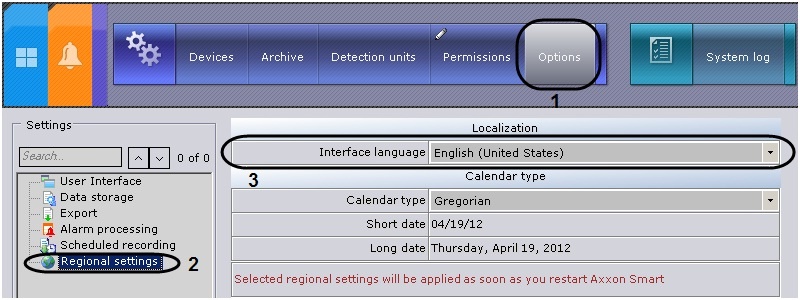
- Select an interface language from the interface language drop-down list (3).
- Click Apply to save the changes.
- Restart Axxon Next.
The newly selected interface language will be applied once Axxon Next is restarted.
| Tip | ||
|---|---|---|
| ||
Play corresponding video |
Overview
Content Tools