
Go to documentation repository


Page History
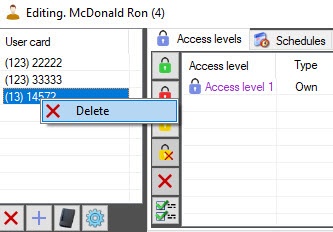
To remove delete a card number from the list, right-click on the card number in the list and select the Delete item in the opened function menu.
| Info | ||
|---|---|---|
| ||
You can also remove also delete a card number from the list using the corresponding buttons button (see Specifying user parameters). |
...
Overview
Content Tools