
Go to documentation repository


Page History
...
Client is a computer on which Axxon PSIM is installed with the Workplace for monitoring (remote client) installation type.
Start the client
You can start the client in one of the following ways:
- Automatically. The program software starts automatically as soon as the operating system is downloaded.
- Manually. To start the program software manually, select select Client workstation in the Windows Start menu of Windows (Start → All Programs → Axxon PSIM → Client workstation) or use an appropriate shortcut on the desktop.
...
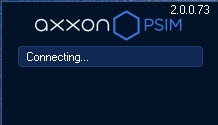
As soon as the client is started, the system automatically starts a search for an active kernel of the server programside of the software.
| Info | ||
|---|---|---|
| ||
When you start the client for the first time, it searches for the IP address 127.0.0.1 (localhost). In all following cases, it searches the last entered IP address. |
If the program kernel is not found, the operator is suggested to manually enter the IP address or DNS name of the computer on which the server part of the program functions or to exit the program.
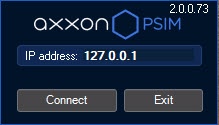
To complete the operation, click the Exit button.
...
Overview
Content Tools