
Go to documentation repository
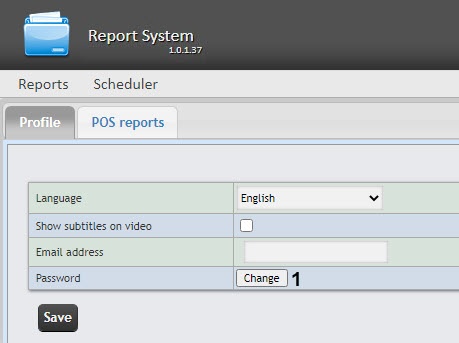
The password can be changed in the Profile page You can change the password only for the rs user , which who is the overall administrator of the subsytem. Password changing for other users is performed only WEB Report System PSIM. You can change passwords of other users on the Users tab of the in Axxon PSIM software.
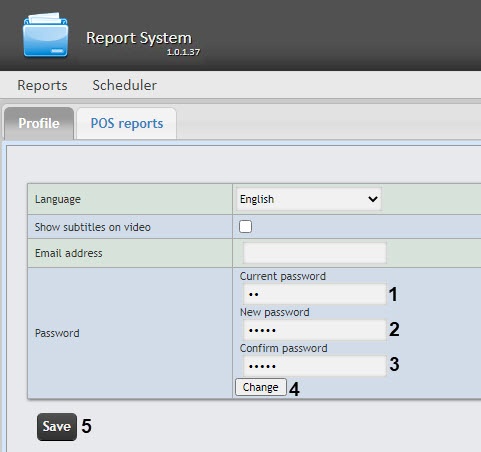
To change the password for of the rs user login to the Axxon PSIM WEB Report System subsystem, do the following:
| Note | ||
|---|---|---|
| ||
The new password |
must contain at least |
six characters. |
Click
the Change button (4).
Click the Save button to save the changes (5). For the changes to take effect, it is
necessary to manually end the current
WEB Report System PSIM session and log in with a new password.
Changing the password for the rs user is completedcomplete.

