
Go to documentation repository


Page History
| Info | ||
|---|---|---|
| ||
Cases when you can use remote export:
|
To save the exported video on a remote server or remote administrator’s workstation, do the following:
- Go to the archive mode.
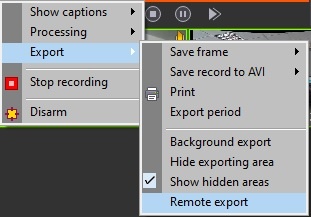
- In the function menu of the surveillance window, select Export → Remote export.
In the Select server for export window that opens, select the computer on which the resulting export file will be saved by clicking its name.
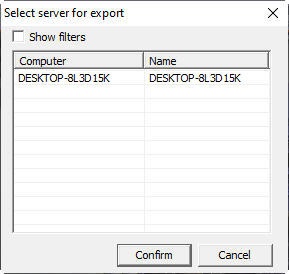
Info title Note The list displays all computers available to this server/remote administrator’s workstation (see Configuration of distributed architecture).
To find the required computer using a filter, set the Show filters checkbox. As a result, the top line turns yellow. Specify a filtering condition in this line and then select a computer from the list of filtered results.
- Click the Confirm button.
As a result, the AviExport utility window opens. In this window, specify the export settings and initiate the export—see Working with the AviExport utility.
The resulting export file is saved on the selected remote server/remote administrator’s workstation.
Overview
Content Tools